
What They Can Do
A portfolio for every student — in each subject and across all subjects together. And an overview of the whole class.
It fills up from the tests written in class: students write on paper, the system reads the work, and the teacher confirms the grade. With every piece of work the portfolio says more.
Sign in with your school Google account.
Previously: Easy Test
The film
One term through the eyes of Ralitsa, a teacher: from the pile of exercise books to the portfolio of Nikola, of the class and of the school. The film runs three minutes and has sound.
Music: "Wholesome", Kevin MacLeod (incompetech.com), licensed under CC BY 4.0.
The portfolio
Three views, the same work. Every confirmed piece of work goes into all three.
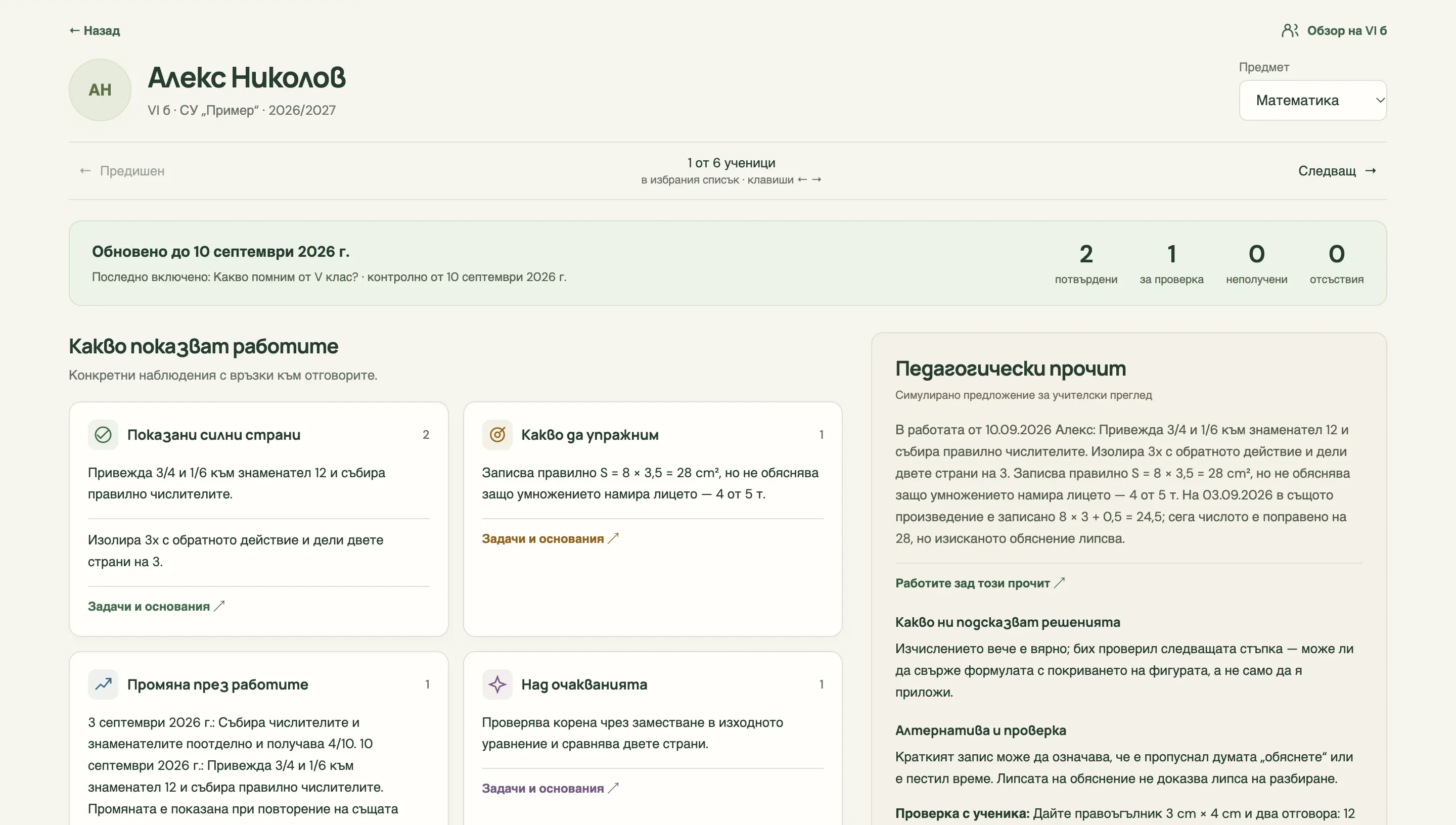
The student, by subject
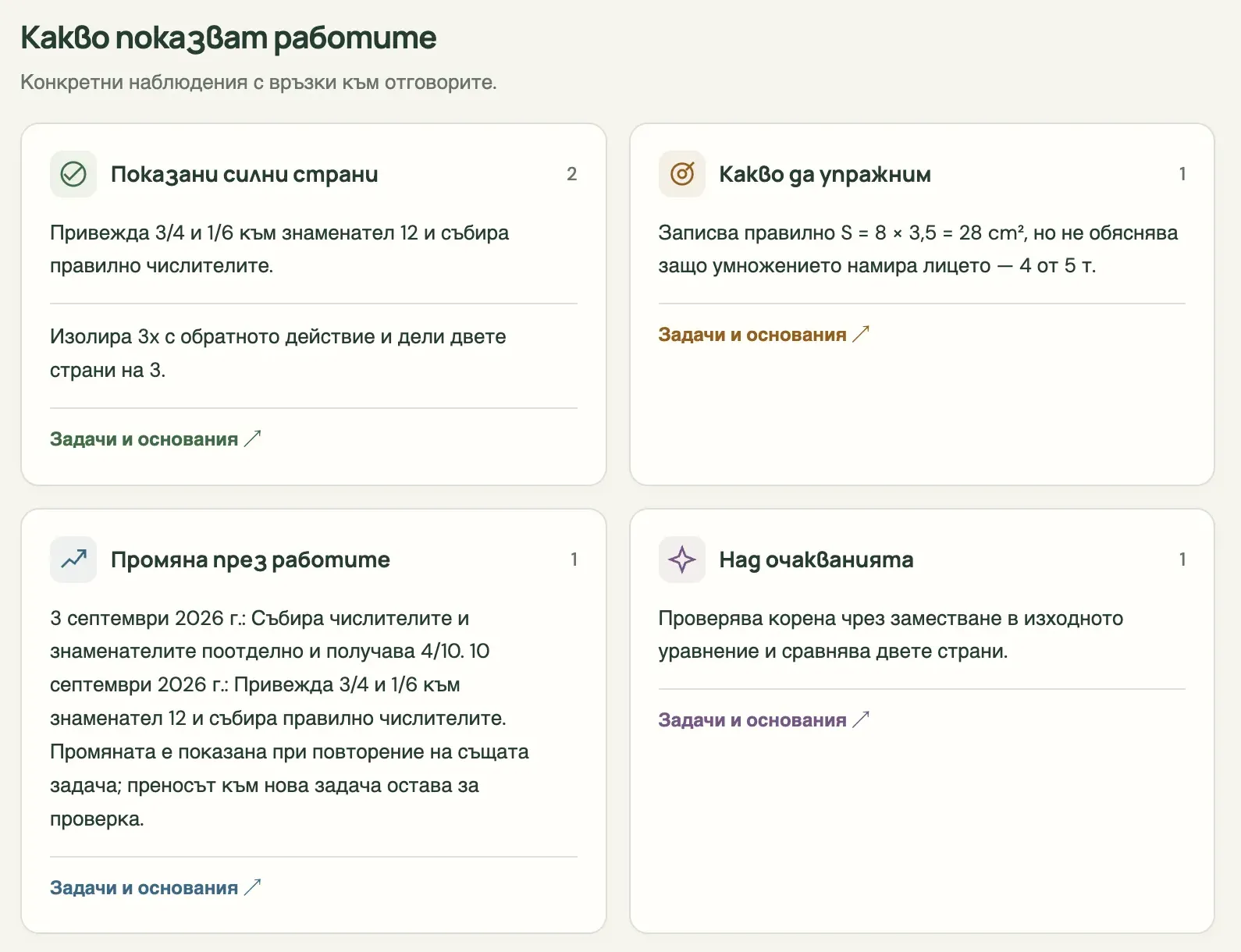
By subject and school year. What the work shows: strengths, what to practise, change across the work, tasks above expectations. Alongside them, a teaching reading and the history of the work. The observations are marked "AI suggestion for teacher review": concrete, with links to the answers themselves. The teacher can approve the AI's reading or write their own "Teacher's assessment", which replaces the suggestion.
The AI suggests. The teacher decides.

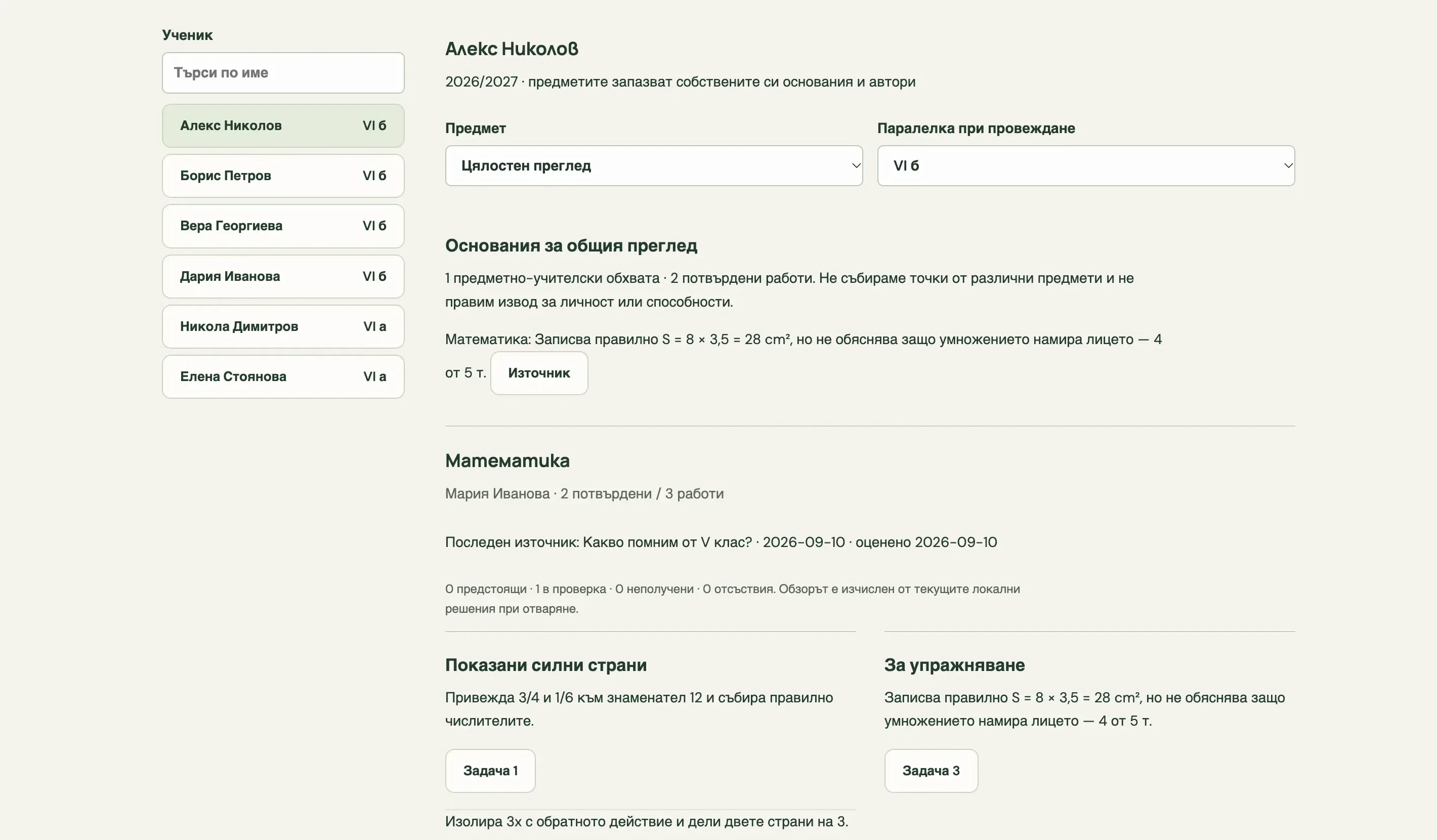
The student, across all subjects
For each subject, the confirmed work and what it covers, with a link to the subject portfolio. Subjects are not mixed: each keeps its own evidence. There is no teaching reading here. This is the view the head teacher sees.
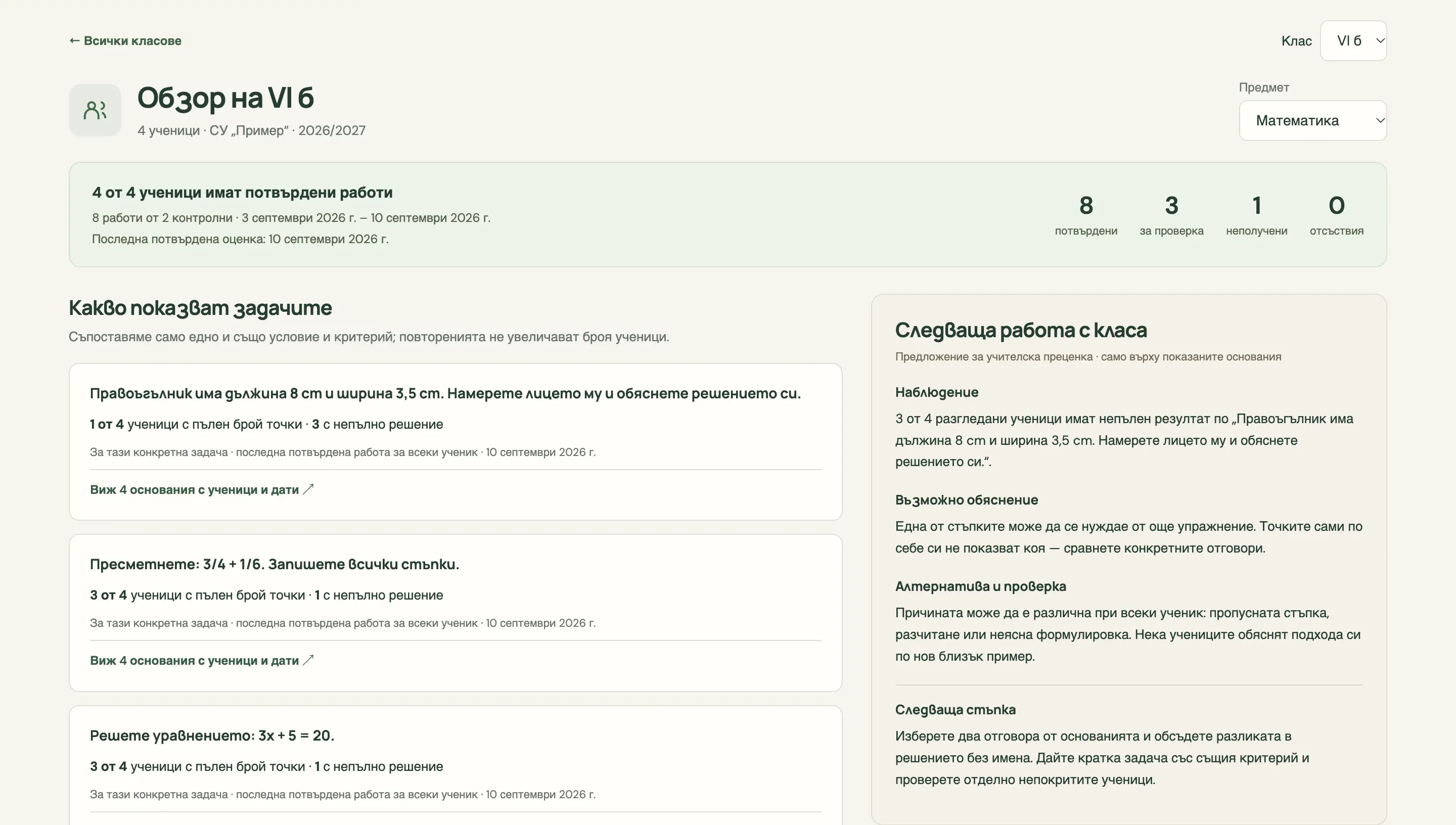
The class
The class overview brings the tests and the students together in one place and shows how the class did on each task. The AI suggests the class summary; the teacher accepts it or removes it. A summary appears only after at least five confirmed pieces of work, and only aggregated results, without names, go to the model.
The head teacher
The head teacher sees every class in their school — the overviews and the portfolios, the same as the teacher's, read-only.
Why
A test in class gives a grade. The portfolio keeps the rest: what the child knows, where they go wrong and how they move through the year. The "What They Can Do" platform reads the same sheet the child wrote the test on, and both come out of it — the grade and the portfolio.
How it works
Preparation. The teacher uploads their own test — from Word, PDF or photos. The platform extracts the tasks, solves them and suggests an answer key and a solution for each. The teacher reviews and approves them.
Printing. The sheet stays close to the teacher's original — with their drawings and answer boxes. Students write on it as they always do.
Upload. The class's work is scanned with a sheet-feed scanner — we bring it — or photographed with a phone, and uploaded in one go. The system sorts it by student: it reads the name on the sheet and looks it up in the class list.
Reading. The platform reads the whole sheet: the closed questions and the open ones — handwritten, in the child's own handwriting, together with the steps of the solution.
Marking. The solution is compared with the key step by step, not just by the final answer: the correct part earns points even if there is a mistake at the end. Next to every suggested score is the scanned sheet. The teacher approves or corrects; the grade, on the Bulgarian scale from 2 to 6, is theirs to give.
Results. The teacher returns the work to the students as PDFs. Every confirmed piece of work goes into the portfolio.
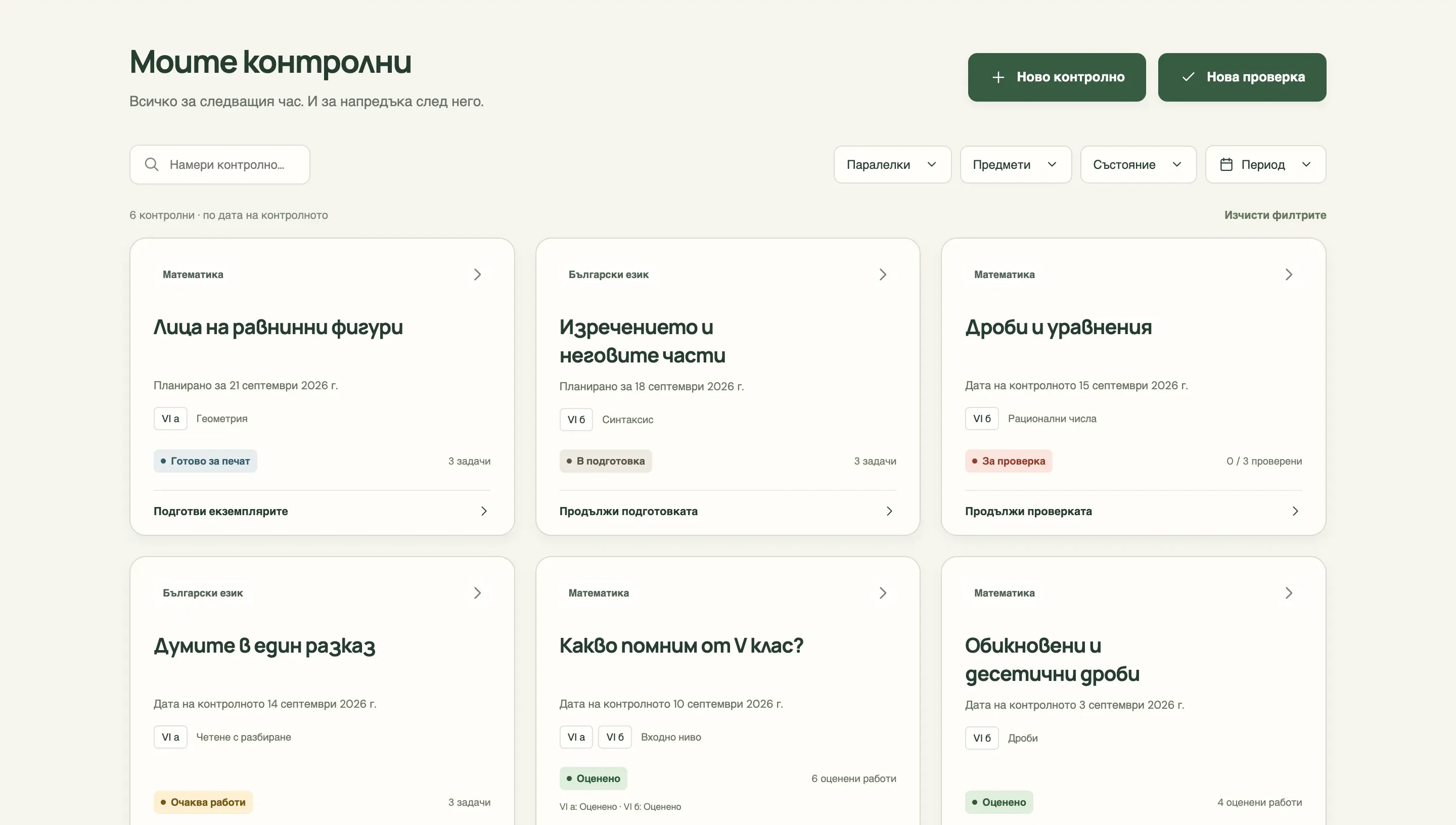
Preparation: the teacher's tests, each with the stage it has reached.
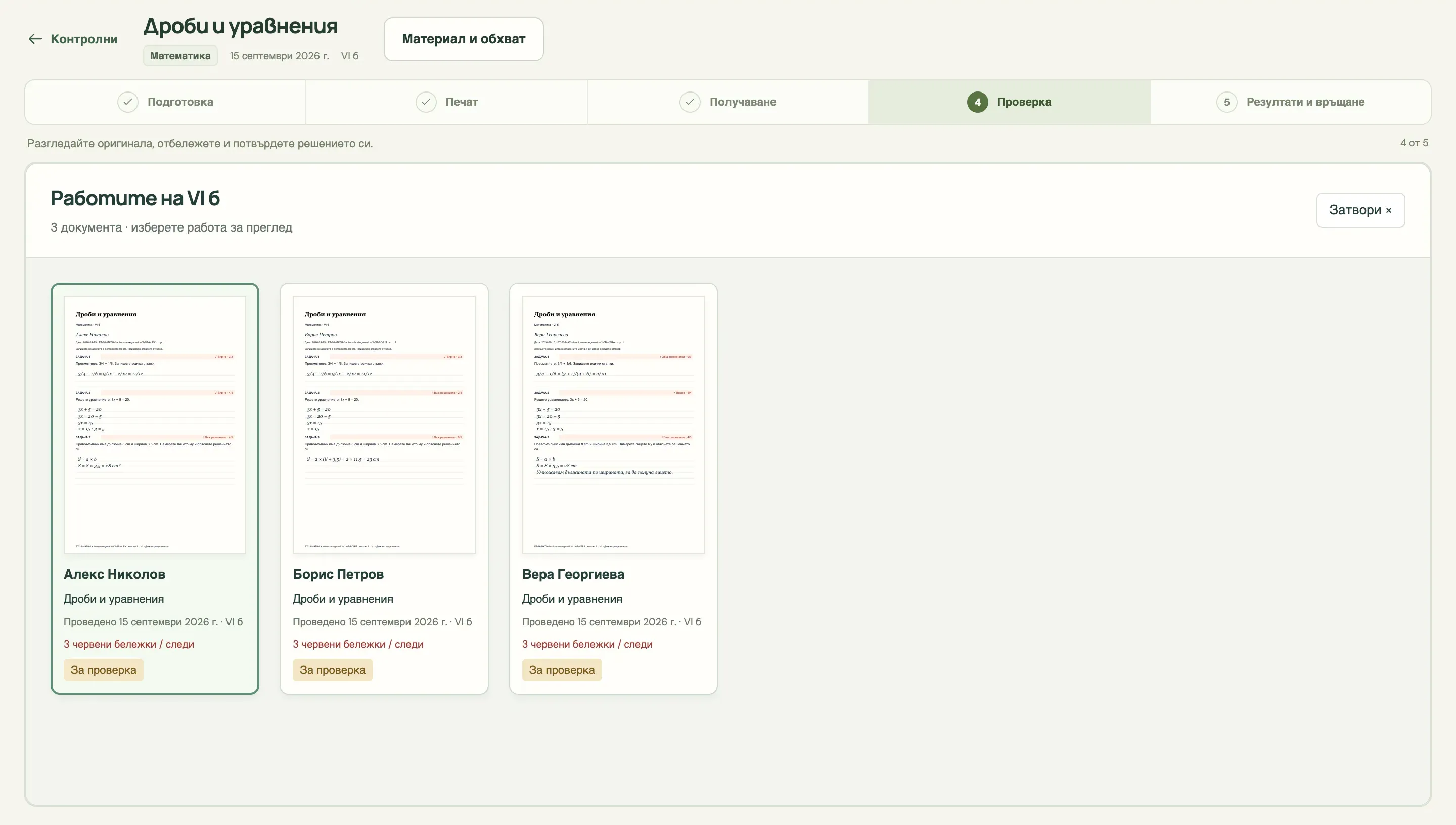
Review: the class's work, read from the scanned sheets and sorted by student.
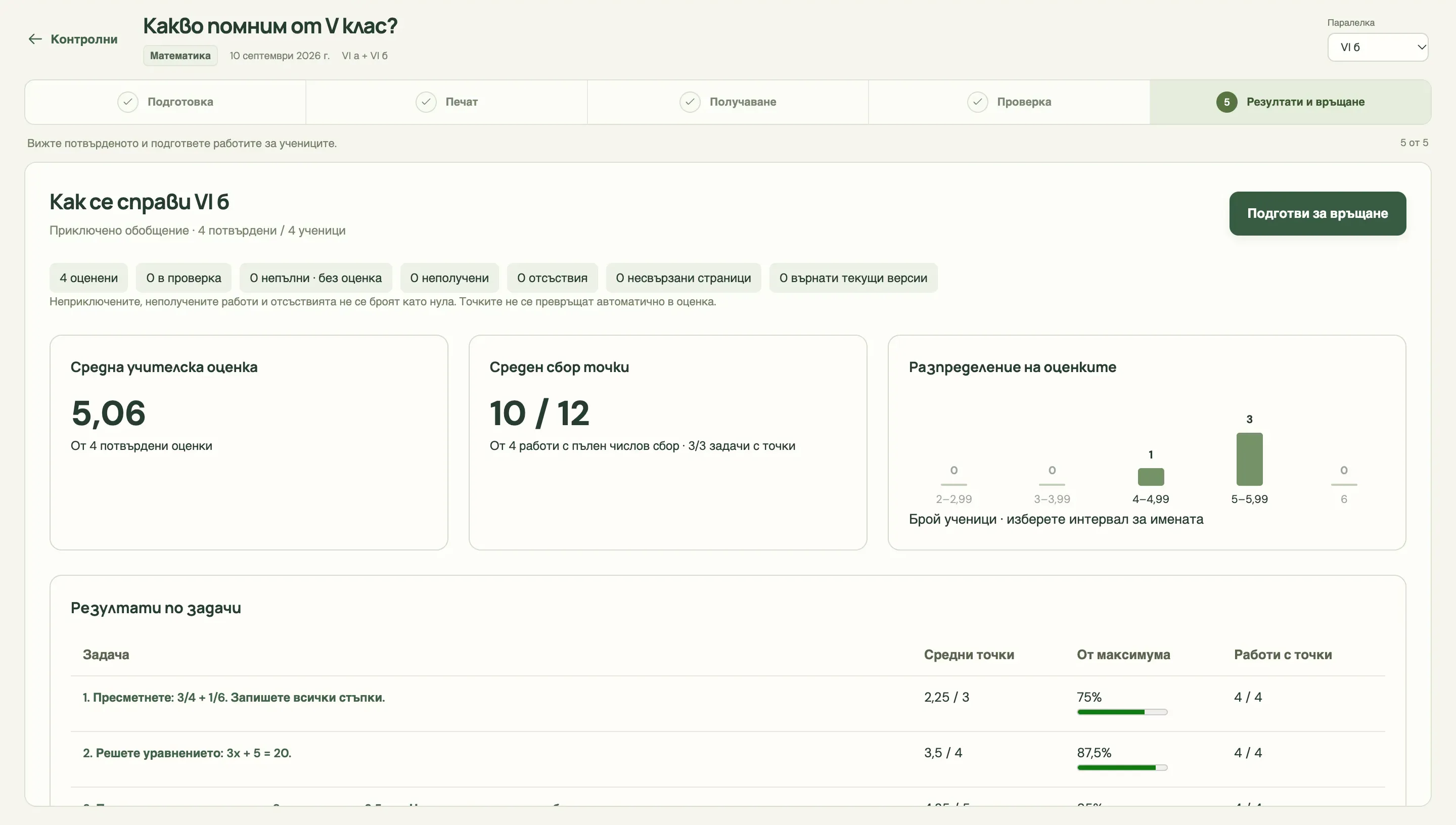
Results: how the class did — by grade and by task. Points do not turn into a grade on their own.
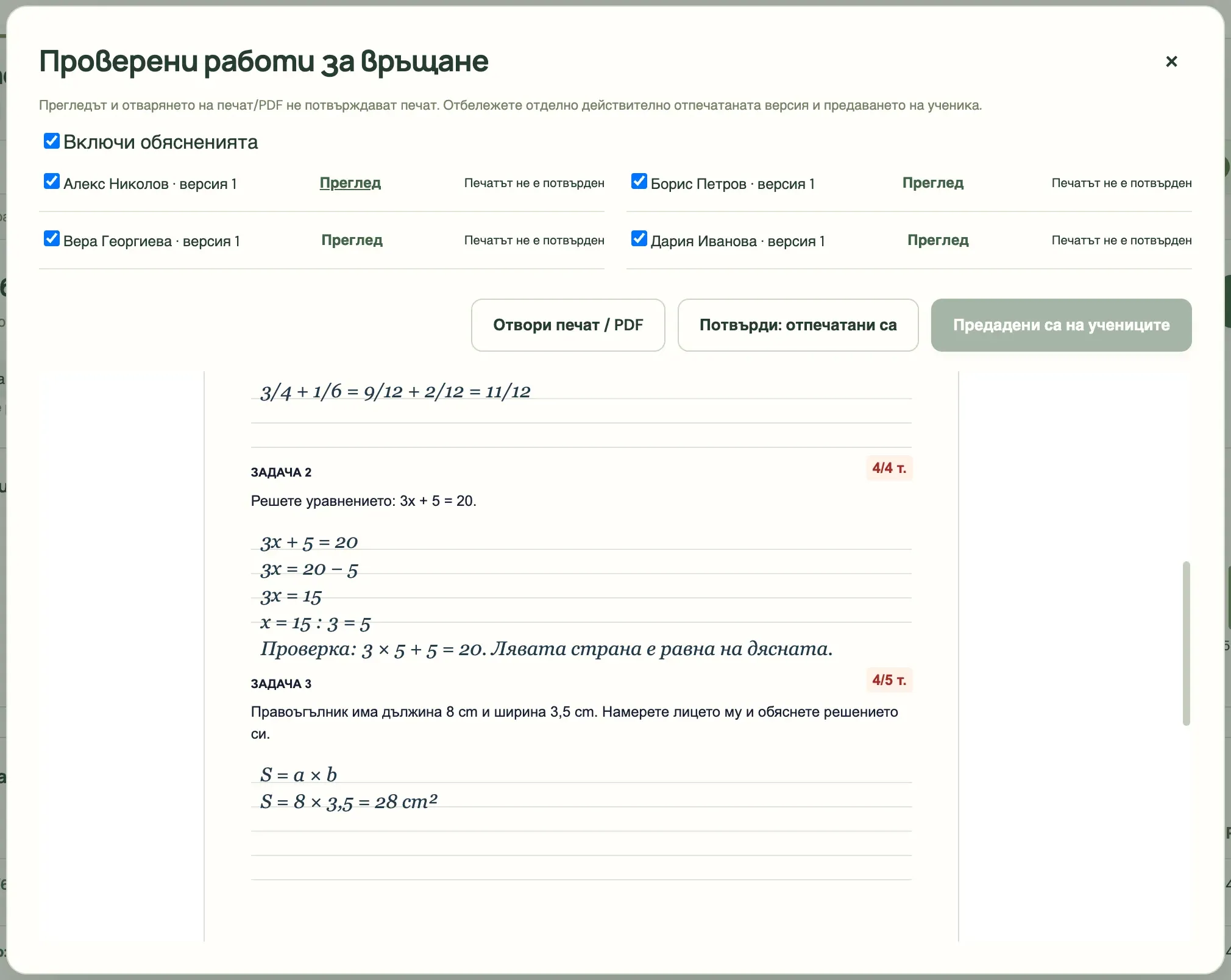
Returning: the checked sheets with the points and explanations — to print or as a PDF.
The screenshots come from the prototype, with made-up students and a made-up school.
The review
The AI reads the sheets, solves the test itself and suggests an answer key and a solution for each task, and then points for each piece of work. None of it is final until the teacher approves it.
- The sheets
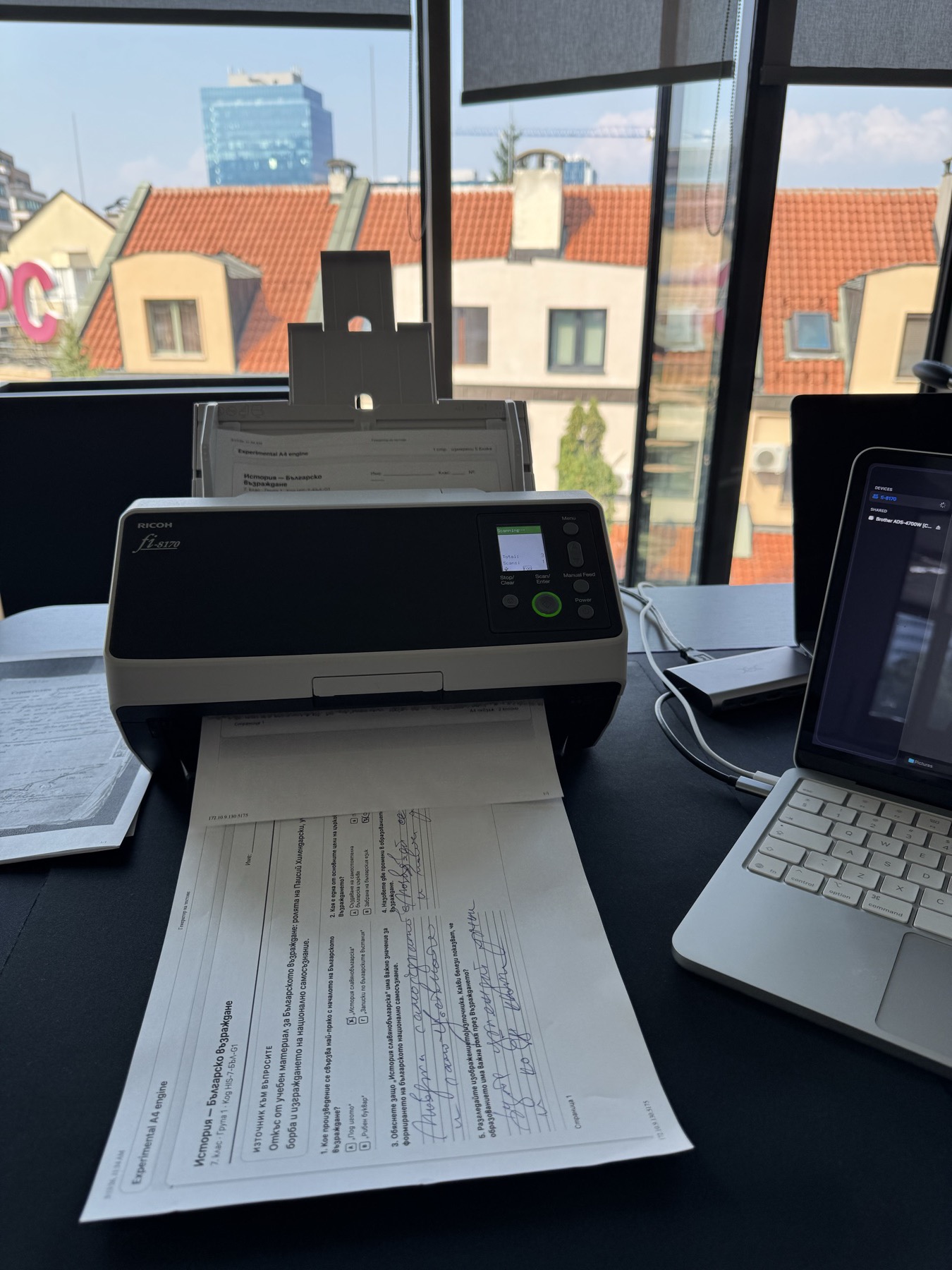
The sheet-fed scanner we bring to the school — with a completed test coming out of it.
- The suggestion
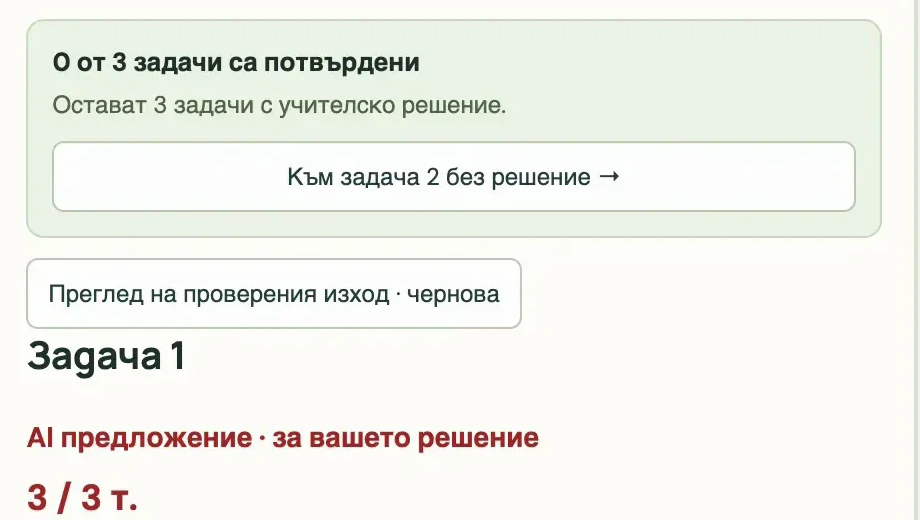
The AI suggests the points. Nothing is confirmed yet. - The decision
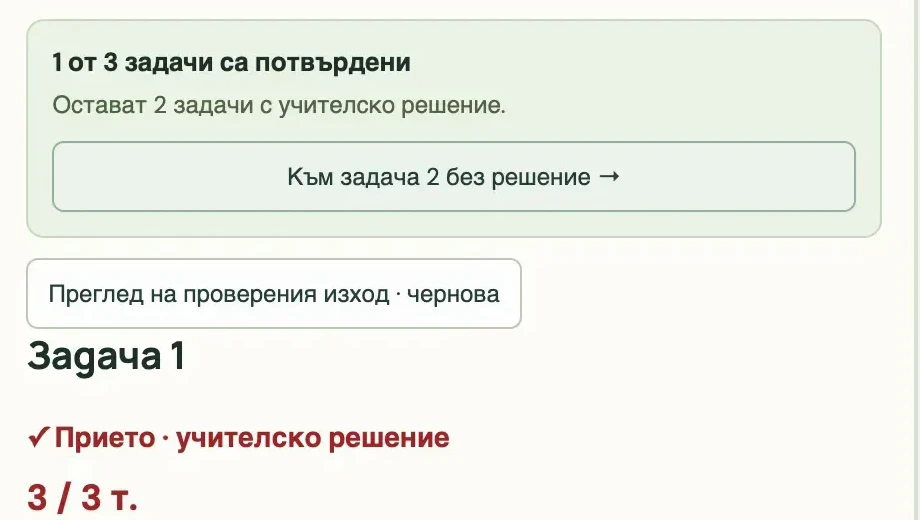
The teacher approves or corrects the points for each task.
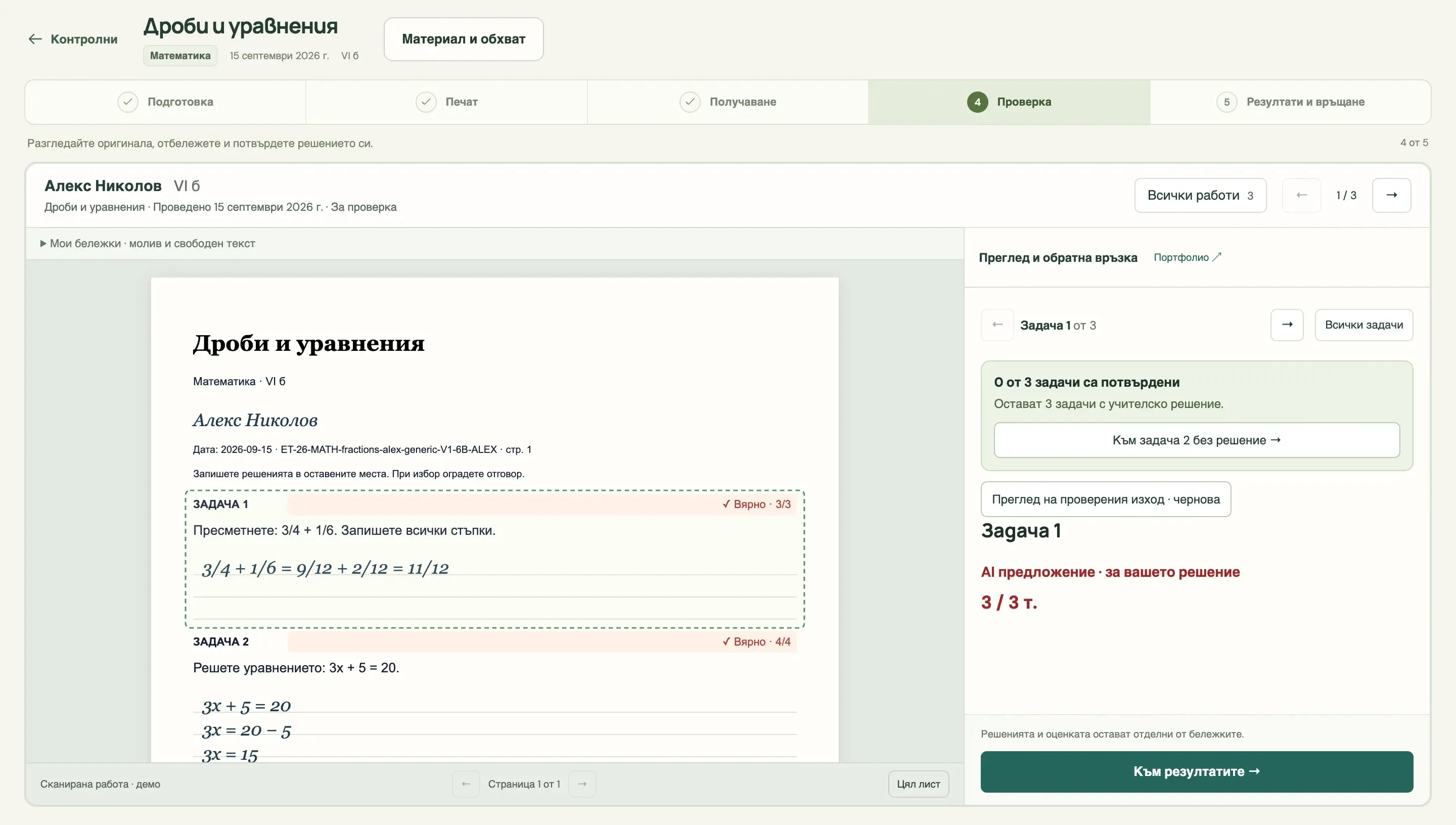
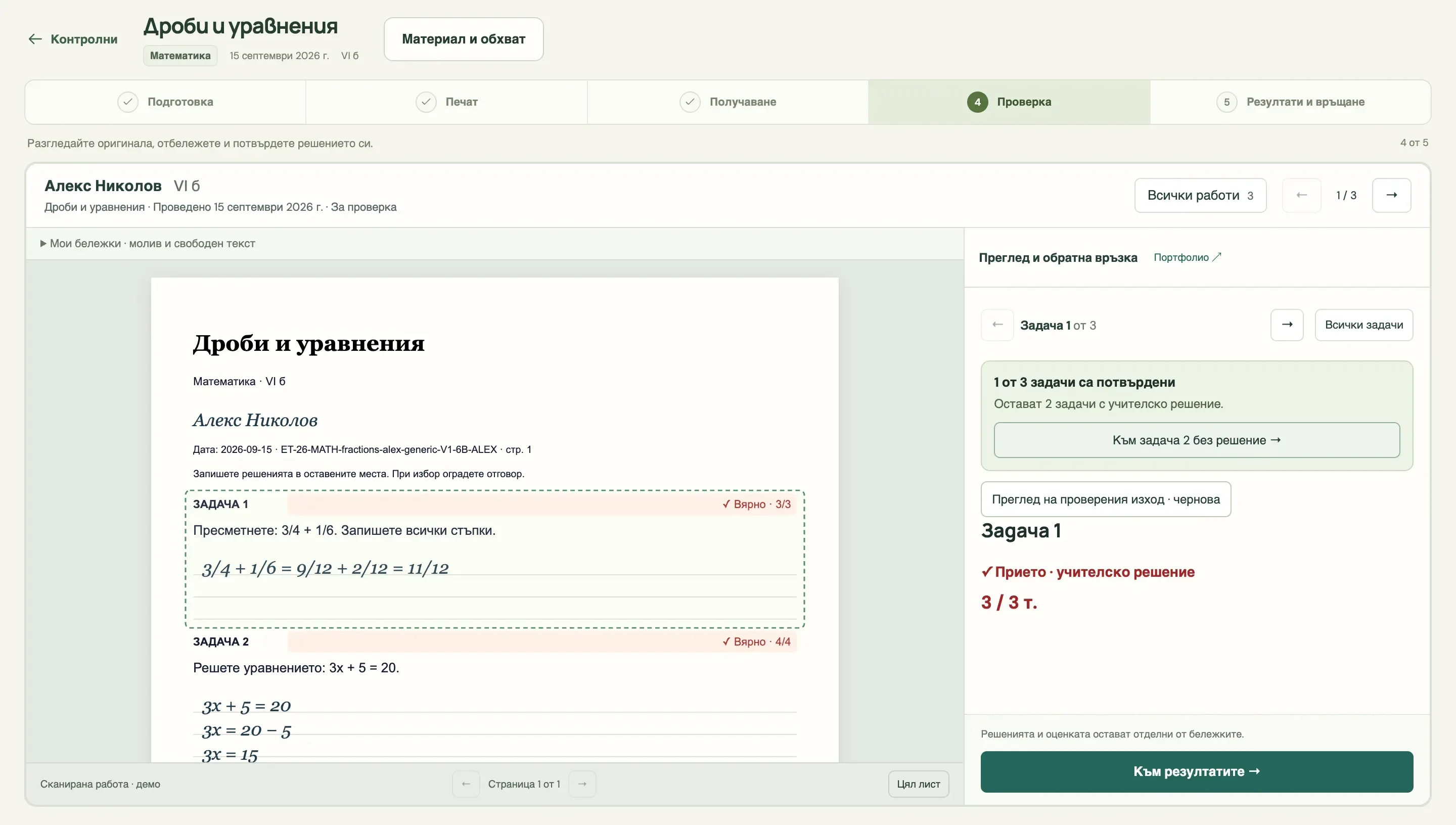
The screenshots come from the prototype, with made-up students and a made-up school.
The rules
Three rules for every piece of work we check. We keep the same rule for uncertain readings in the municipal archive →
Student data
The data belongs to the school: the head teacher can download it in a single file and ask for it to be deleted. Nothing is deleted without warning.
Where we are
"What They Can Do" has been running since late September. We are trying it on real tests set by teachers. We have marked handwritten answers against set criteria, at scale. How much time it saves and how accurately it reads, we have not measured yet — so we give no figures.
Sign in with your school Google account.
If you would like your school to be among the first, write to us.