
Education
Our main work today is Plexibits: a city where children in grades 1–4 apply what they have learned, and teachers and parents see what they can do. This page is the path that led us to it: research, trials and systems that work.
 What They Can DoPilot in developmentA portfolio for every student, in every subject.
 Mentorano NVOWorking system, on pauseThe live system for NVO preparation in maths.
 Mentorano AppWorking system, on pauseWe made the first version of Mentorano App for our own children.
 PIRLSReading and scoring 3,340 answer booklets from the international PIRLS study
A textbook is built like a warehouse. Everything has its place and everything is correct, but the warehouse does not store the links between things. A child carries out exactly what the warehouse holds: neat items, one at a time.
The diagnosis
Here is what it looks like up close. In grade 4, the regions of Bulgaria are taught one per lesson. One paragraph lists what the region produces: a row of things, one of which is timber. Another paragraph, unconnected to the first, lists which industries have grown there: another row, one of which is furniture making. These are not two neighbouring facts. They are two drawers of jumbled objects. Nobody tells the child that one thing from the first drawer and one from the second are two sides of the same coin. Or that there is a third: furniture from Troyan is a mark of quality across Bulgaria. The forest becomes a livelihood, and the livelihood becomes culture.
The child learns the facts. The test asks about the facts. Everything looks fine, except that geography, economics and culture explain one another, and nobody shows that link. Not because the teacher does not know it, but because the lesson is a list, and a list gets learned by heart.
What is learned by heart has a shelf life. Applying what you learn →
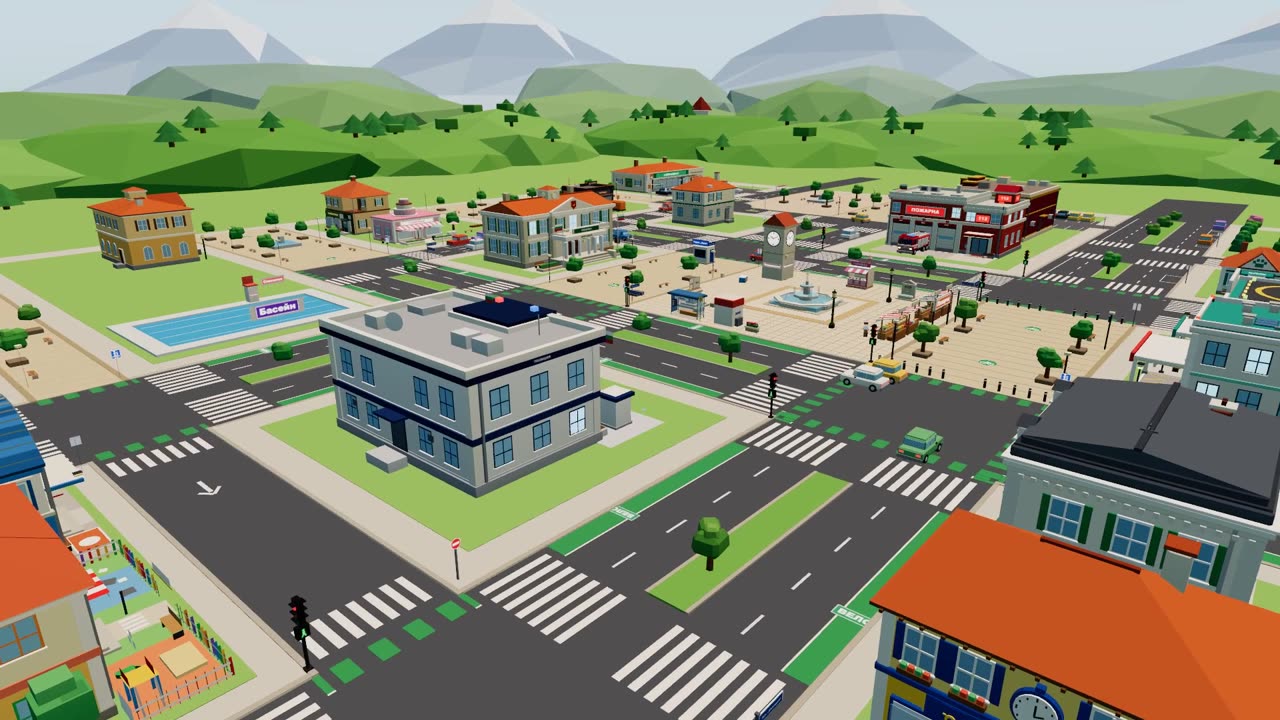
Plexibits is our attempt to let the youngest apply what they learn not in the "warehouse" but in real situations in the city.
The story where it all began
We made the first version of Mentorano App for our own children.
“I can help with maths: we sit down and solve problems together. Bulgarian language and literature is not my comfort zone. And in the subjects built on narrative, to be of any use I first had to get up to speed myself on the context and the facts, lesson by lesson. So I made the first version of the app, so that my son could learn and test himself in the subjects where I cannot be there for him.”Moni Dochev
“My son is a bright child. He understood things in class, and the top marks came by themselves. Then came grade 4, with ‘Man and Society’ and ‘Man and Nature’, and the lessons turned into long lists: regions, resources, industries, dates. The tests asked exactly those. And the child who found everything easy started bringing home fours, two steps below the top mark of six.Joanna SeymenarovaJoanna's full story: eight months, four times a week
We built the app into his study routine. The mechanics are simple: he reads the lesson twice. He takes a test, with closed questions and open ones where he tells the answer in his own words and thinks it through. At 10 out of 10 we take it that he has learned it, and he moves on. Below that, he has missed something: he reads again and takes a new test, different from the first.He learned this way for eight months, four times a week. Not to test the app, but because it did the job. And because it was no burden to him: I never made him sit down to it. He went looking for that step in his routine himself.The top marks came back, but they are not the point. The point is what his teacher said: ‘he answers like a ping-pong player’. A child with opinions, active in class, held up as an example for a whole term. The difference between ‘memorised’ and ‘learned’ is plain to see.”
What we learned from it: different ages need different mechanics. Plexibits →
Mentorano NVO
Preparation for the national external assessment (NVO) in maths, for now in grade 7.
We started with the most ordinary thing: an app in which a child solves problems. Then we went into the exam itself, what exactly the format asks and where preparation breaks down, and only then did we produce the problems. Today the system holds 3,207 validated problems that cover all 24 positions of the exam format at all five difficulty levels. Every problem goes through nine independent AI reviews and 28 automated checks before a child sees it. And the wrong answers are not random: we build them from a catalogue of 11 categories of typical student mistakes, so they mislead exactly where the child would mislead themselves.
The map came last, and it could not have been otherwise. The map is the layer above the problems: levels, badges, missions, leaderboards, an exam forecast, a path through the material. The child sees what they know, what is left and which way to go. Today it is a clickable prototype.
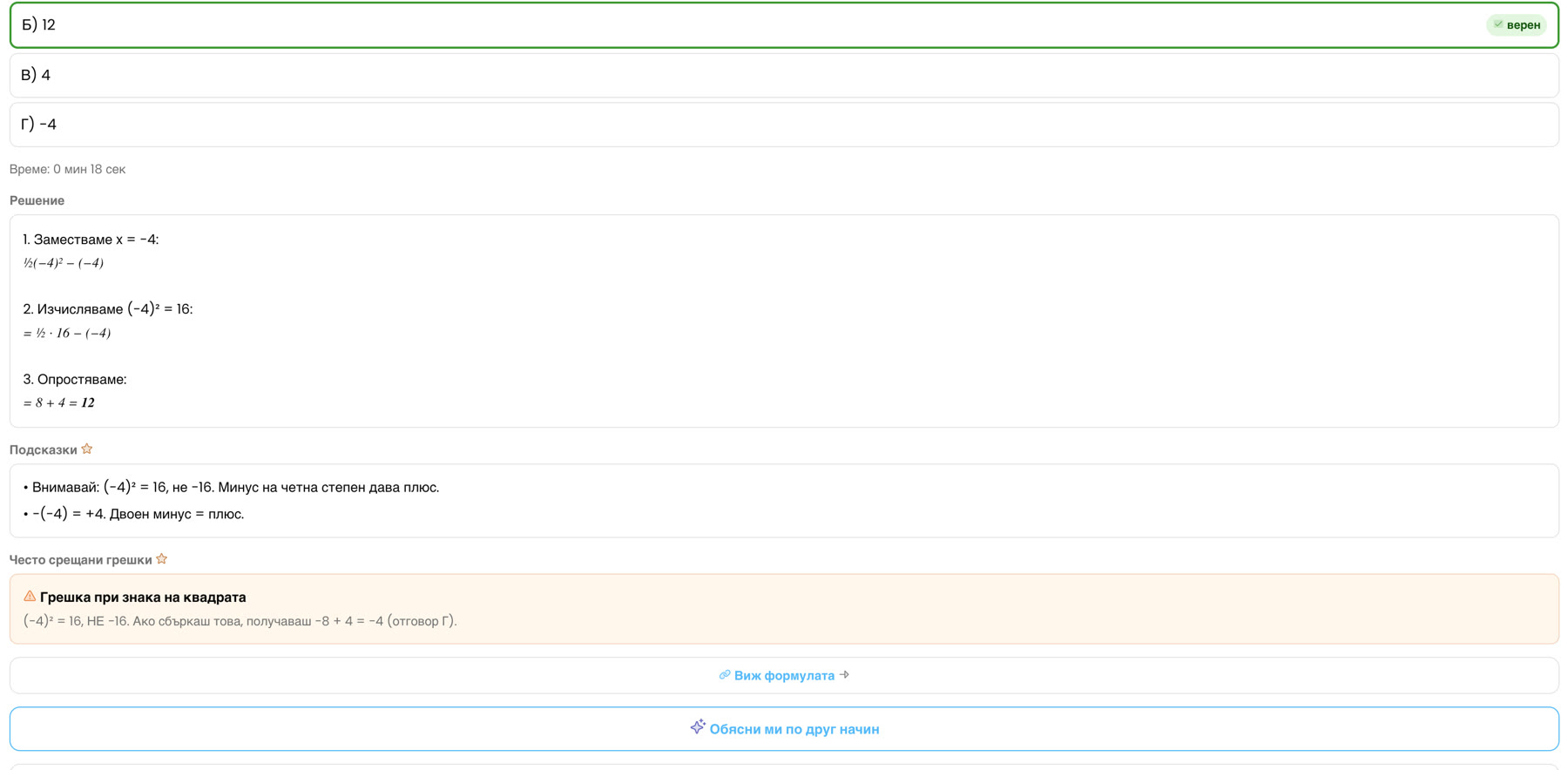
The mistake is named and traced: “(−4)² = 16, NOT −16” — and the screen says which of the four answers it leads to.
The system is live: try it. We work on it every week, so you may find parts still under construction.
The same material: as it looks while it is only problems, and after the map dresses it.
the screen where a child solves a problem
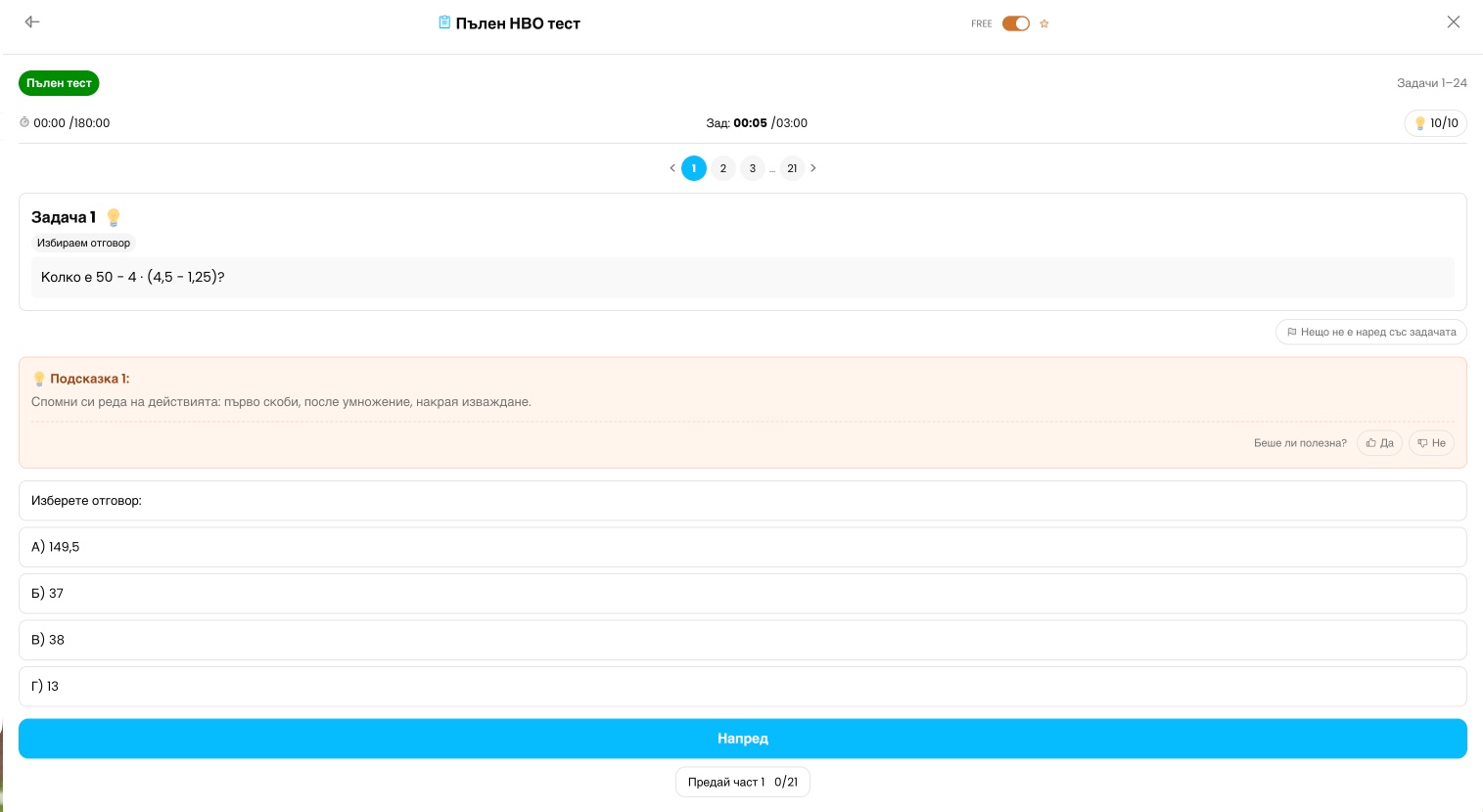
the screen where a child solves a problem
the same material with levels, badges and paths
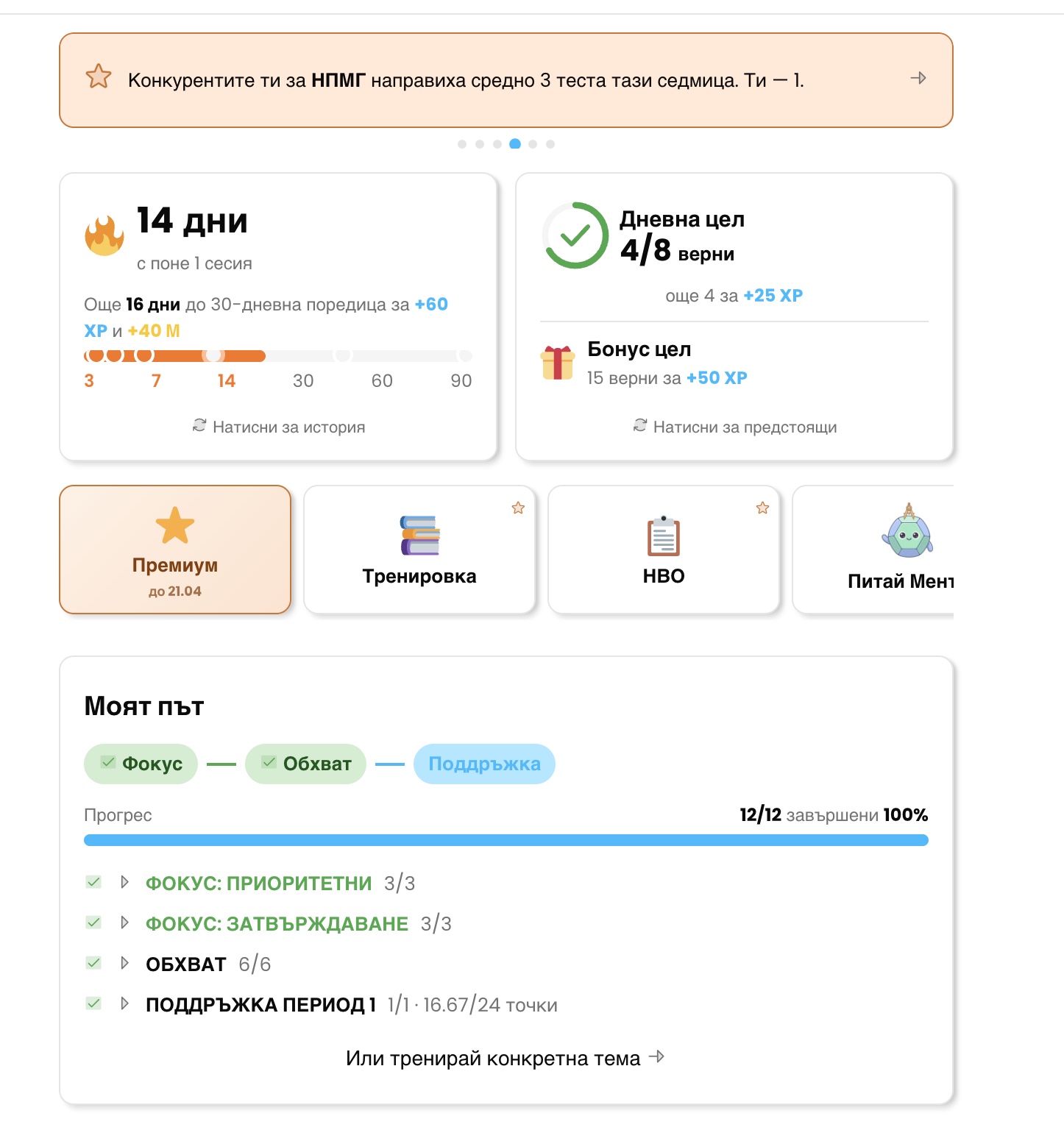
the same material with levels, badges and paths
What is in the map
Seven screens from the prototype, each showing one thing the child sees about themselves.
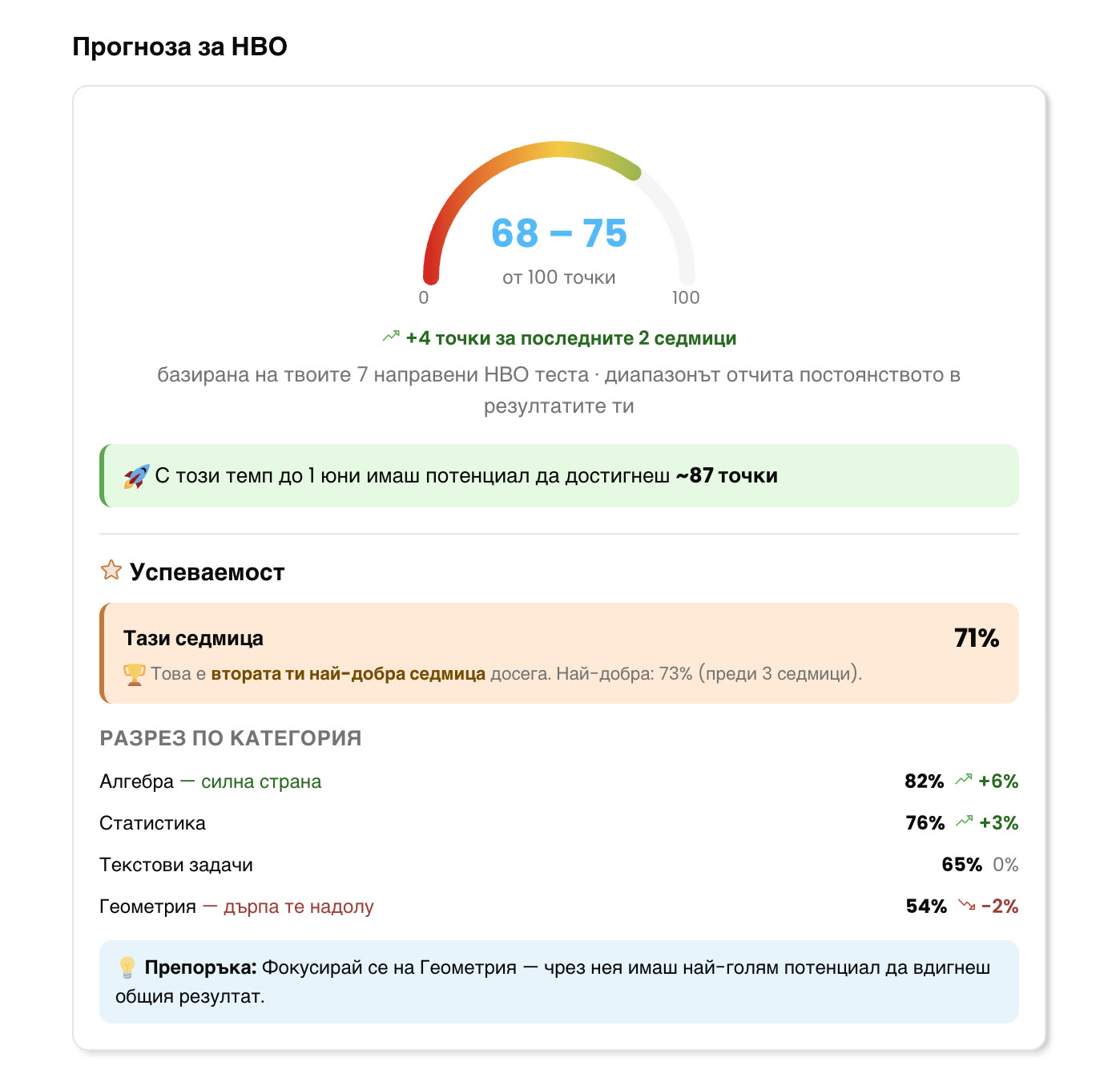
The forecast is a range, not a single number: 68 – 75 out of 100, because the results are not yet steady.
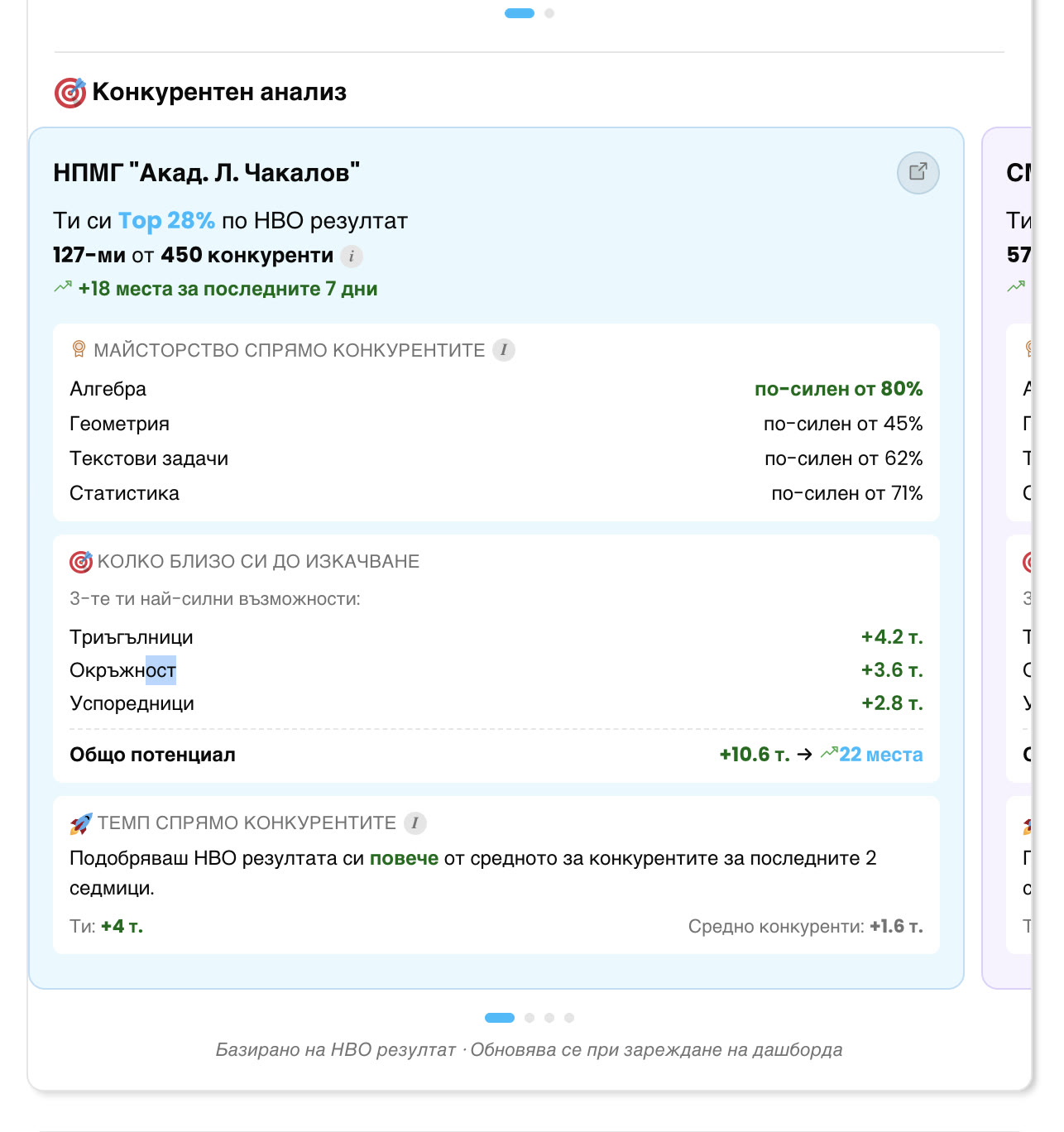
The place among the others is broken down by topic, not added up into a single score.
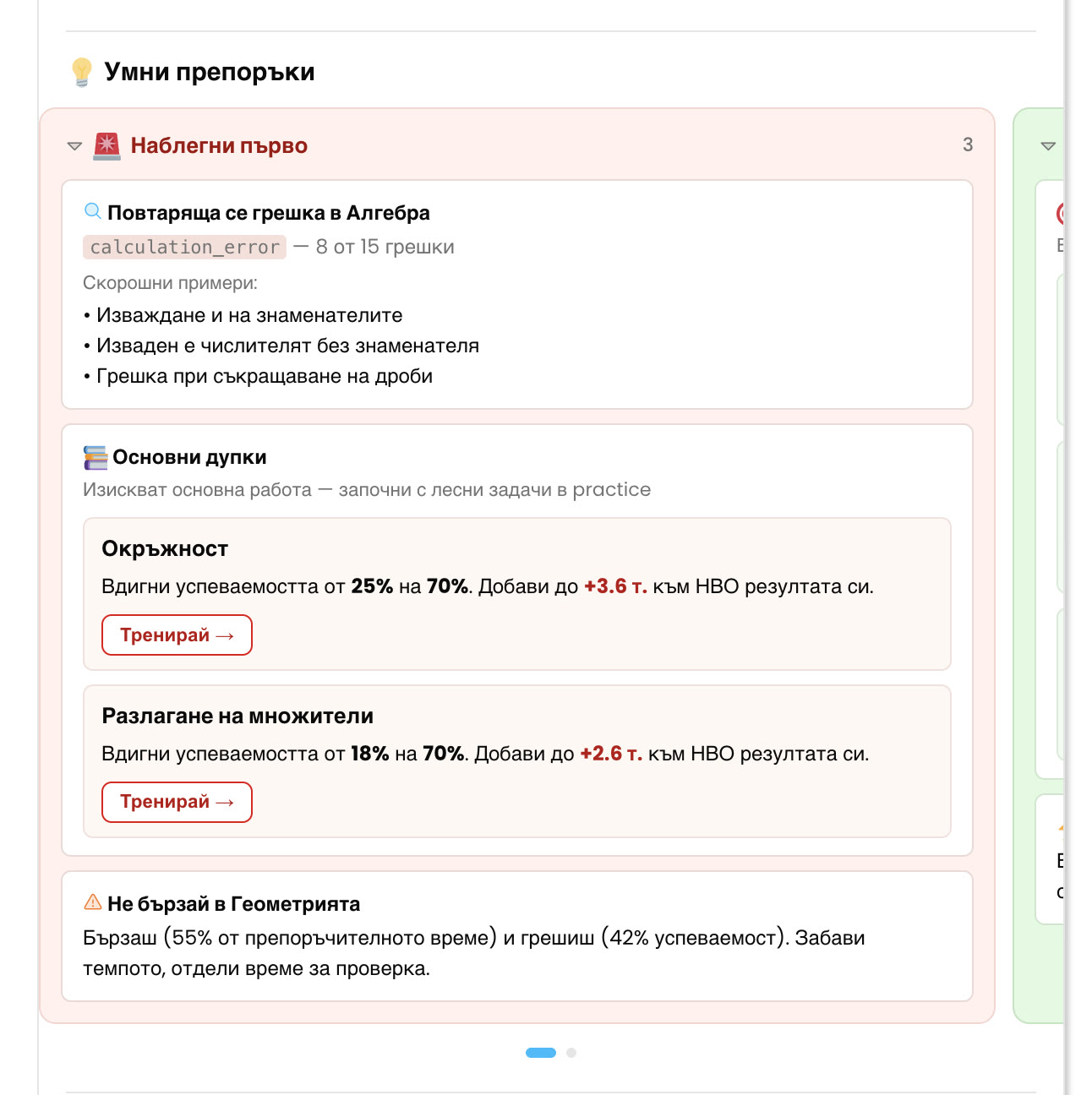
The recurring mistake is named and counted: 8 of 15, with the three latest examples.
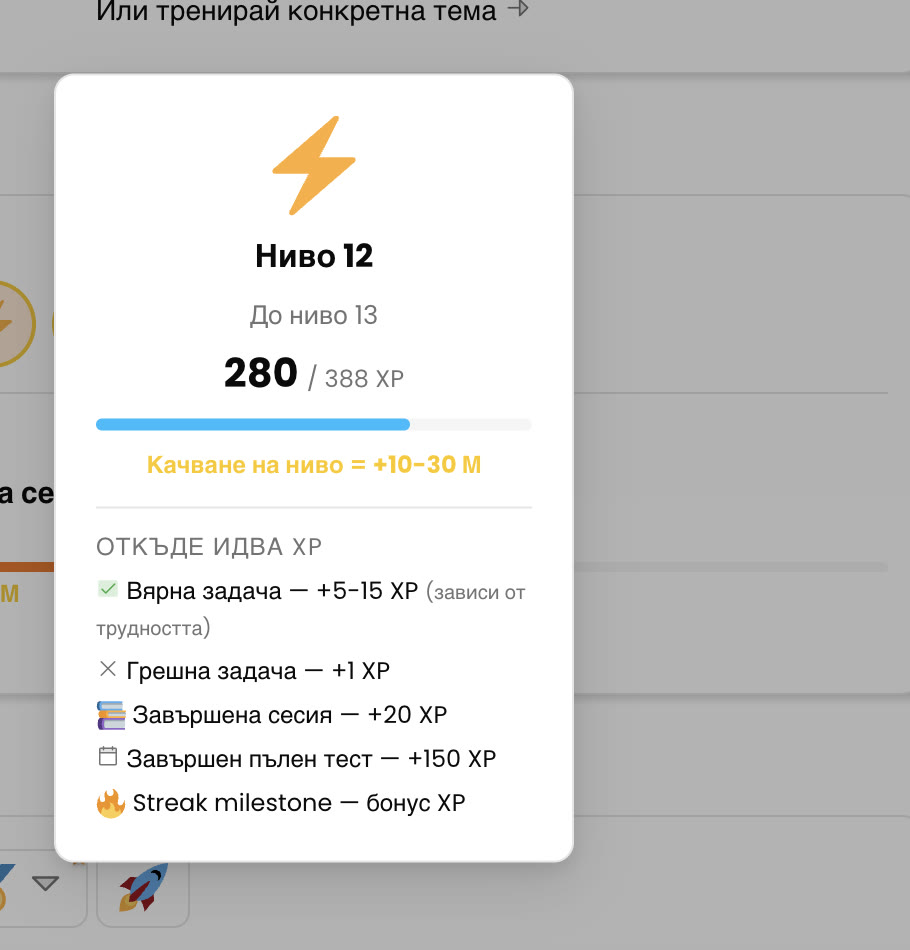
The points rules are written out, not implied — including that a wrong answer also earns a point.
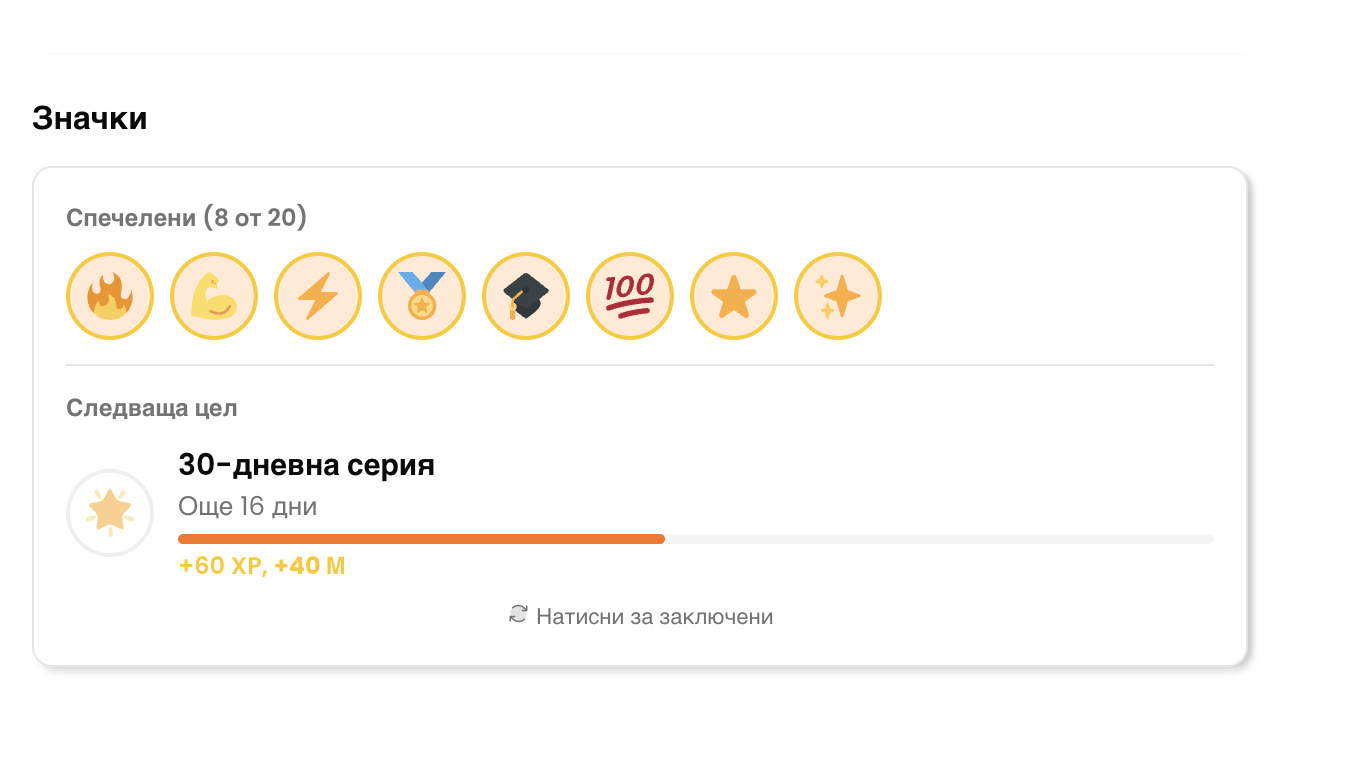
Eight badges out of twenty; the next one asks for sixteen days in a row.
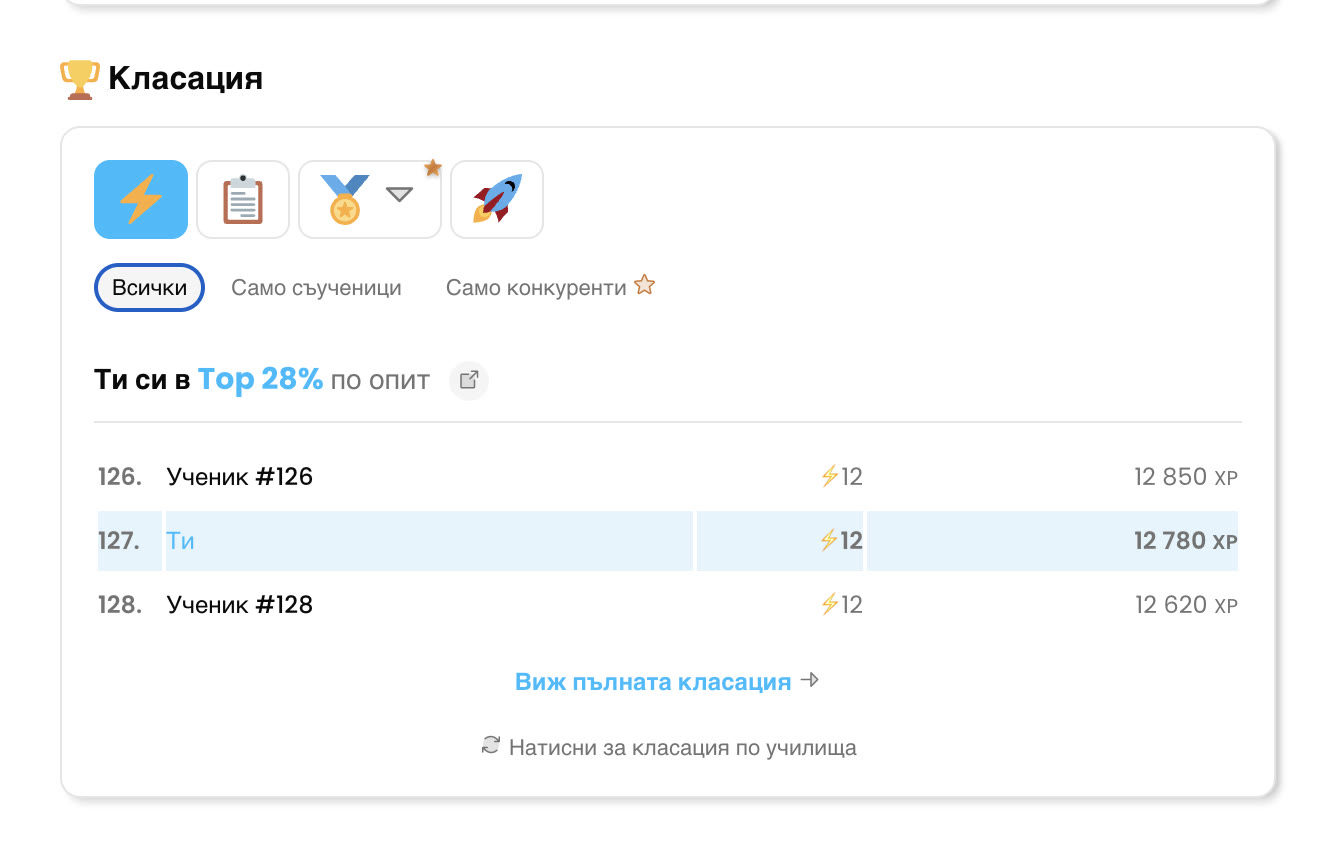
The other children on the leaderboard are numbers, not names.
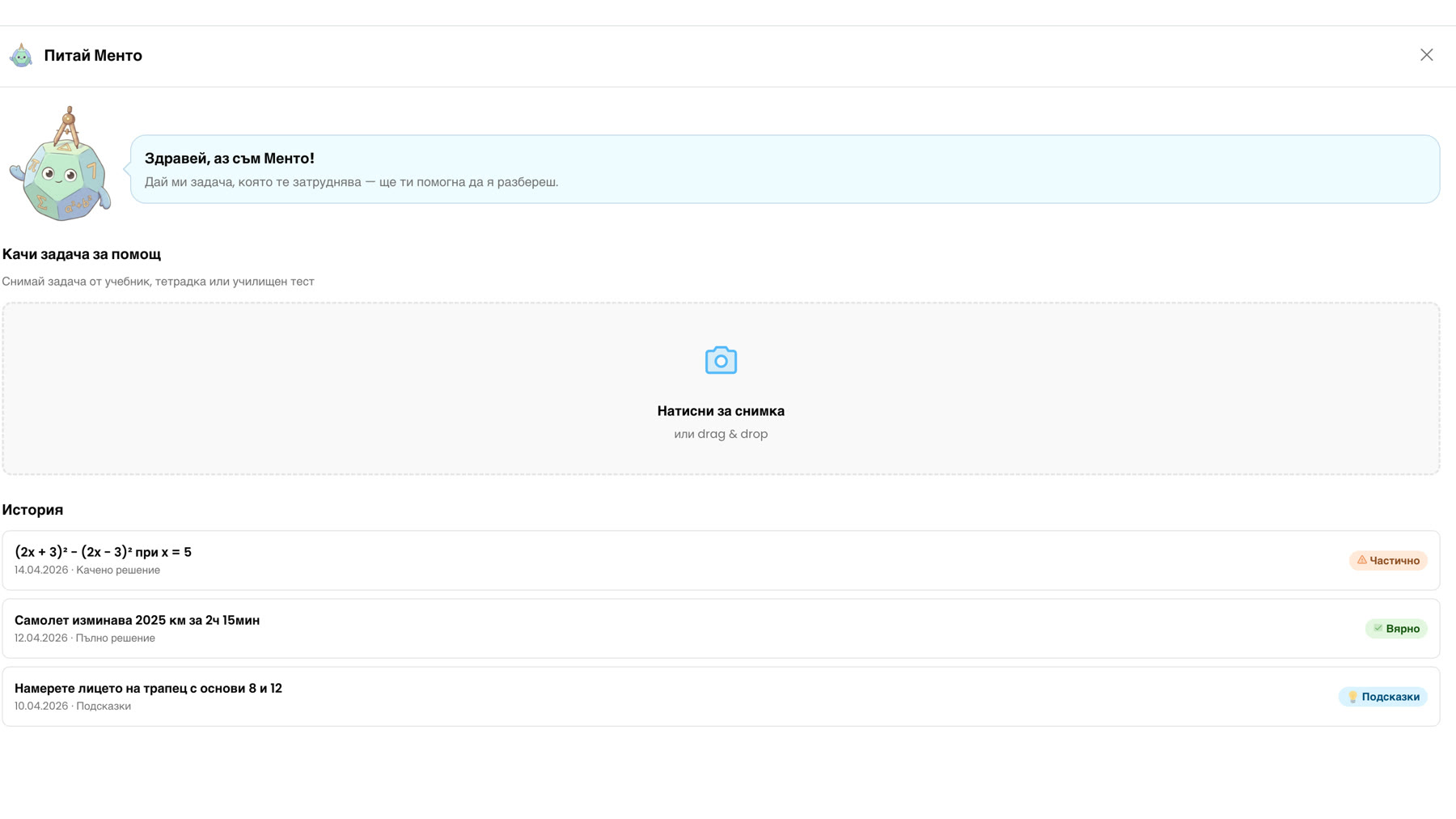
A task the child is stuck on gets photographed — and the history remembers what came out right and what only partly.
The print edition: 279 problems and the review screen
The print edition. Outside NVO: 279 maths problems with integrated knowledge of biology, chemistry, physics and geography, prepared for print. The publisher's teachers wanted to review, approve and edit them themselves, and that is exactly why we built the review screen.
Every problem went through a two-stage review, first by a mathematician and then by a science specialist, with the right to edit the problem statements and the wrong answers. They did not need to: the problems submitted were varied enough for them to pick what they needed.
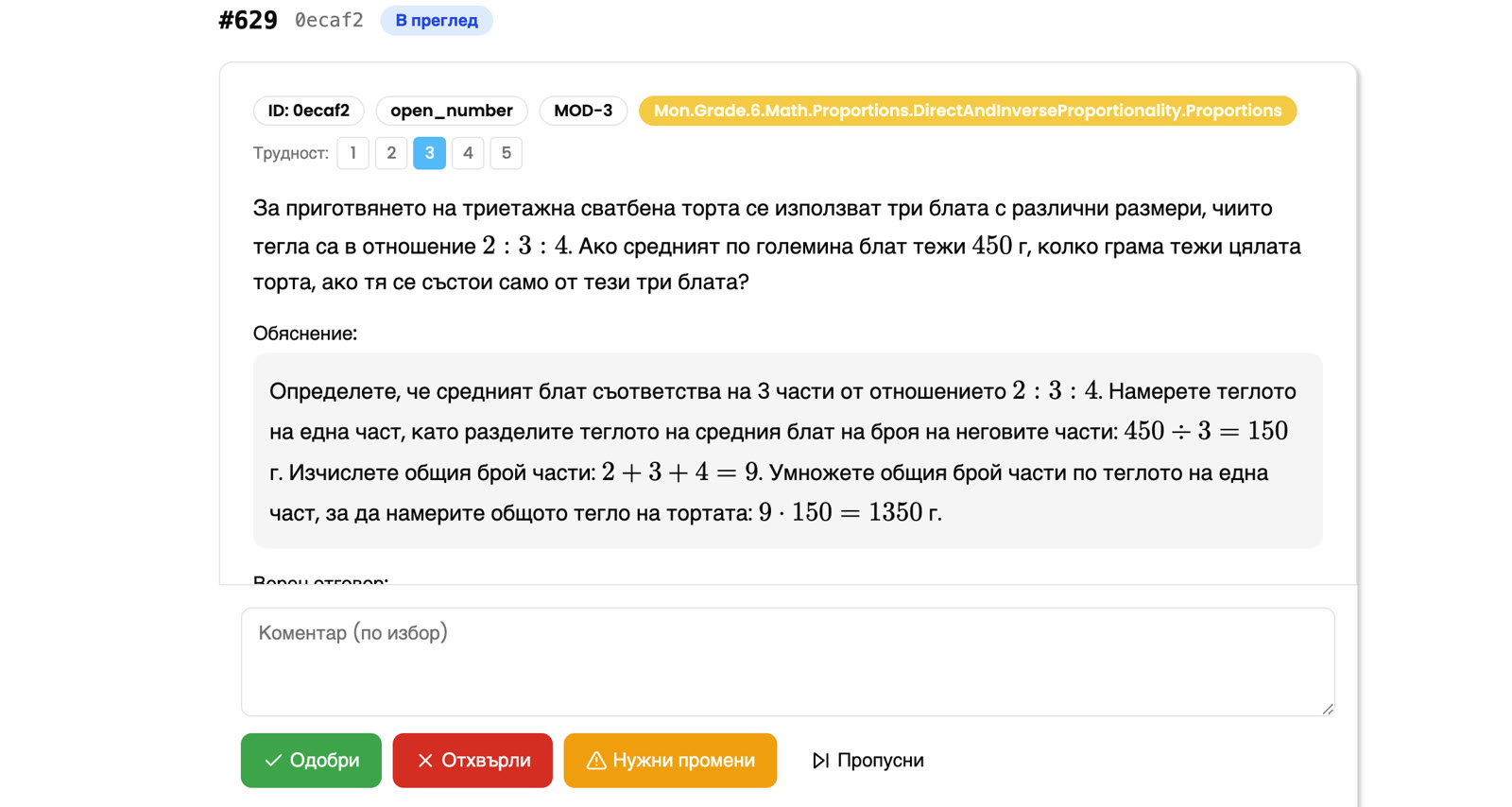
The screen we built for the publisher: a task is approved, rejected or sent back for changes.
The live system for NVO preparation in maths.
- 3,207
- validated problems
- 5,739
- wrong answers in them, analysed
- 4,086
- student mistakes described behind them
- 11
- categories they are grouped into
Mentorano App
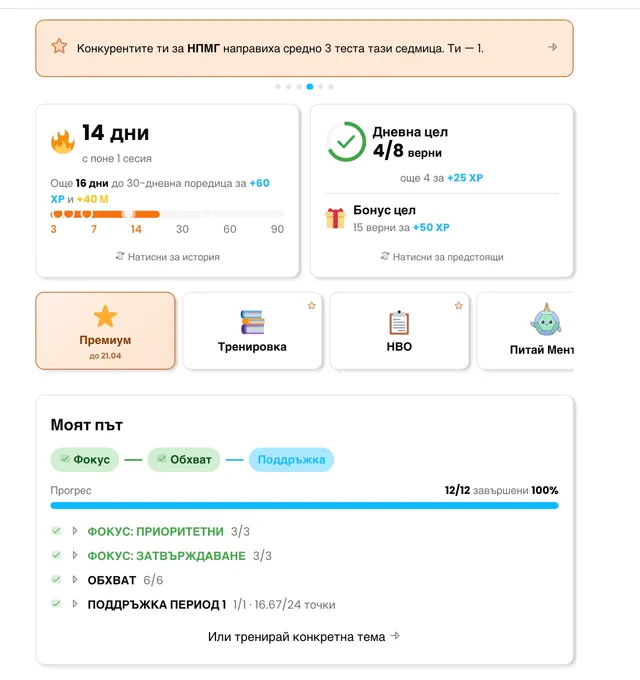
The app from the story at the start. Today it does what it did for our children: the child reads the lesson and tests themselves, with closed questions and open ones they answer in their own words, and below 10 out of 10 they read again.
They can also photograph a textbook page and get a test on it. Today the questions are generated at the moment of the photo, and the child waits. We are working to make that wait disappear: the photo should recognise which lesson it is, with the test already waiting. Try it; here too you may find parts still under construction.
- 2,558
- questions generated for the children who use it
We show the question and the explanation. We do not show the page they were generated from: it belongs to someone else.
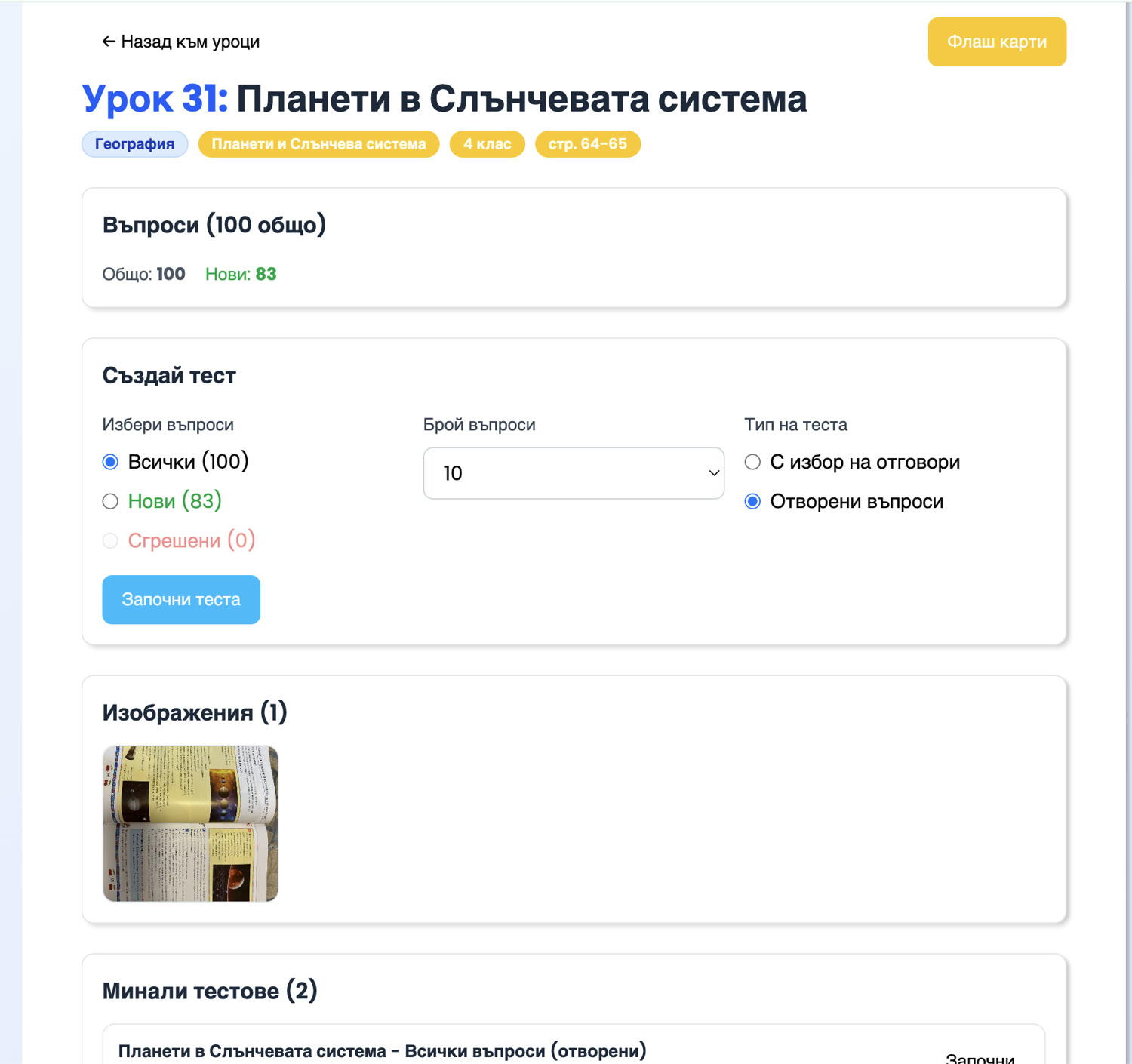
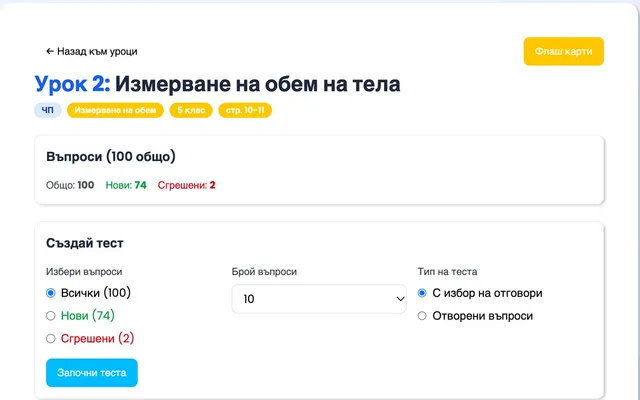
The test is put together from the lesson: all questions, only the new ones or only the ones answered wrongly — multiple choice or open.
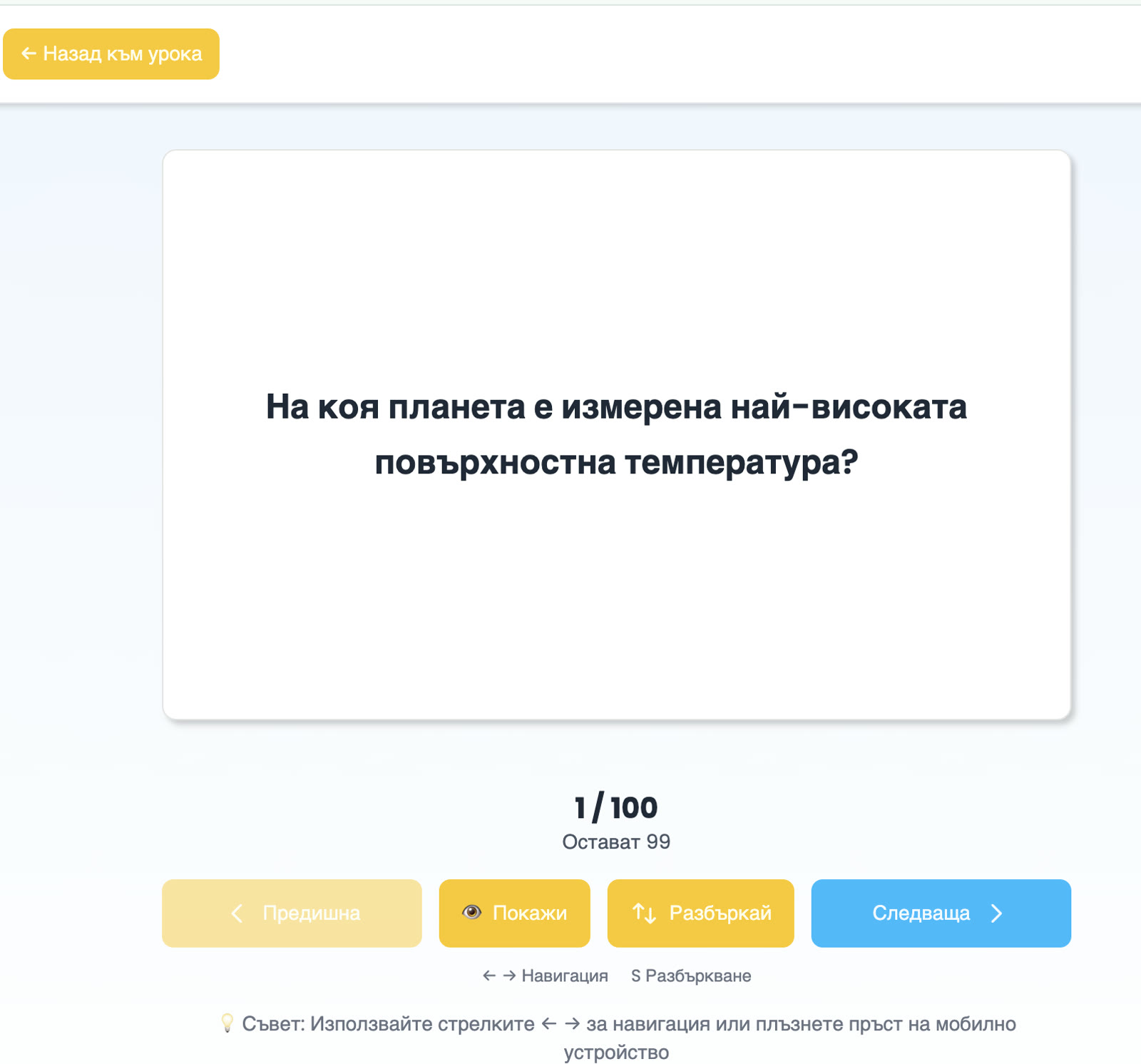
The question, generated for the lesson.
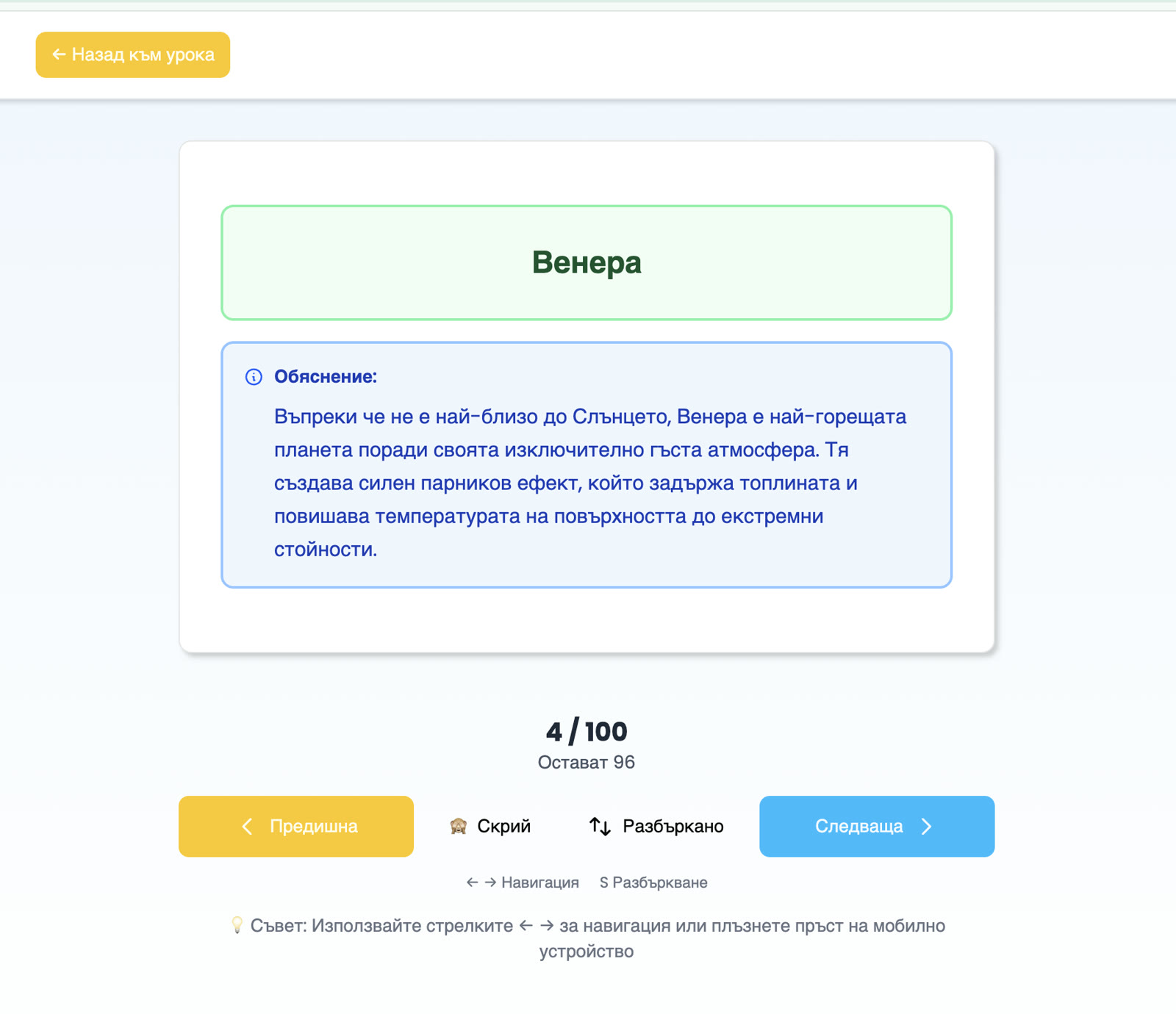
Its back: the answer and the explanation.
The larger frame is already being built, and it is Plexibits. We designed Mentorano App with chapters for different subjects, years and ages, because each needs its own mechanics. In Plexibits the subjects enter the city as missions and games, and what is learned is not retold but applied.
The language module and the approach to different subjects
Different subjects need different approaches. Narrative subjects need a test on the lesson. Maths for NVO needs practice in the exam format. A foreign language needs spaced repetition: each word moves through a series of boxes, and the further it gets, the less often we ask it. In our language module a mistake does not cross the word out; it only sends it back one box. "Learned" means it has reached the fourth box and been answered correctly twice in a row. The curriculum is written by the machine, and a philologist reviews and approves it before it reaches a child.
What They Can Do
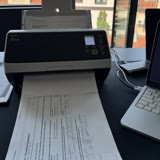
A portfolio for every student — in each subject and across all subjects together. And an overview of the whole class.
It fills up from the tests written in class: students write on paper, the system reads the work, and the teacher confirms the grade. With every piece of work the portfolio says more.
Music: "Wholesome", Kevin MacLeod (incompetech.com), licensed under CC BY 4.0.
PIRLS
PIRLS. For the Institute of Education at the Ministry of Education (MES) we processed 3,340 answer booklets, each 12 to 18 pages long: 1,670 from students (questionnaires and reading literacy tests) and 1,670 from parents, with closed answers. We did not stop at processing. We built the system through which the ministry works with the extracted data: it runs reports, makes comparisons and cuts the data along the lines it chooses itself.
We did not stop at reading the booklets: the answers are scored as well. Each answer is scored under the study's protocol, 500 pages of guidance on exactly what earns how many points. Our scoring reaches a 98% success rate. The threshold for human markers was 85%: a teacher who fell short of it was not allowed to mark.
- 3,340
- answer booklets, each 12 to 18 pages long
- 1,670
- from parents, with closed answers
- 1,670
- from students: handwriting, recognised and scored
- 98%
- scoring accuracy, against the 85% required of a human marker